<?xml version="1.0" encoding="UTF-8"?>
<feed xmlns="http://www.w3.org/2005/Atom">
    <title>http://mt.yukine.info/</title>
    <link rel="alternate" type="text/html" href="http://mt.yukine.info/" />
    <link rel="self" type="application/atom+xml" href="http://mt.yukine.info/atom.xml" />
    <id>tag:mt.yukine.info,2010-01-08://4</id>
    <updated>2021-12-31T14:48:23Z</updated>
    
    <generator uri="http://www.sixapart.com/movabletype/">Movable Type Pro 6.3.5</generator>

<entry>
    <title>Pi-KVMを試してみた。　MSD編 - 平穏な日々 on MT</title>
    <link rel="alternate" type="text/html" href="http://mt.yukine.info/torneo/2021/12/pi-kvmmsd.html" />
    <id>tag:mt.yukine.info,2021:/torneo//3.824</id>

    <published>2021-12-31T14:21:22Z</published>
    <updated>2021-12-31T14:48:23Z</updated>

    <summary>ケースの穴を無理矢理広げて、HDMIの入力が出来るようにしてPiKVMを使いやす...</summary>
    <author>
        <name>Hiromichi Iwaoka</name>
        
    </author>
    
        <category term="Computer and Network" scheme="http://www.sixapart.com/ns/types#category" />
    
        <category term="Electronics" scheme="http://www.sixapart.com/ns/types#category" />
    
    
    <content type="html" xml:lang="ja" xml:base="http://mt.yukine.info/torneo/">
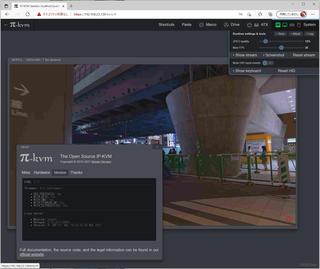
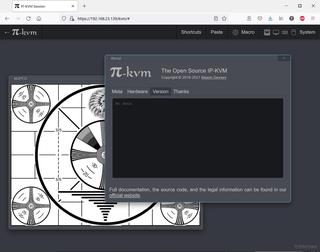
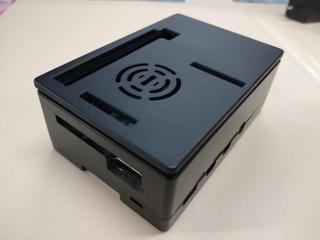
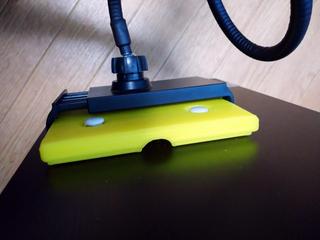
        <![CDATA[<p>ケースの穴を無理矢理広げて、HDMIの入力が出来るようにして<br />PiKVMを使いやすい様に箱に入れてみました。</p>
<p><a href="http://mt.yukine.info/torneo/assets_c/2021/12/20211231-1-1547.html" onclick="window.open('http://mt.yukine.info/torneo/assets_c/2021/12/20211231-1-1547.html','popup','width=800,height=601,scrollbars=yes,resizable=no,toolbar=no,directories=no,location=no,menubar=no,status=no,left=0,top=0'); return false"><img src="http://mt.yukine.info/torneo/assets_c/2021/12/20211231-1-thumb-320xauto-1547.jpg" alt="20211231-1.jpg" class="mt-image-none" width="320" height="240" /></a></p>
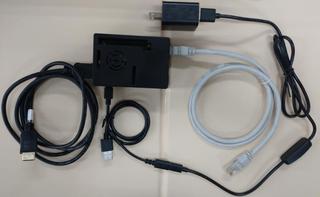
<p><a href="http://mt.yukine.info/torneo/assets_c/2021/12/20211231-2-1546.html"><img src="http://mt.yukine.info/torneo/assets_c/2021/12/20211231-2-thumb-320xauto-1546.jpg" alt="20211231-2.jpg" class="mt-image-none" width="320" height="240" /></a></p>]]>
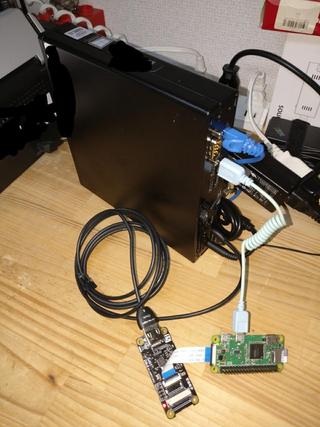
        <![CDATA[<p>USB OTGと電源の分岐ケーブルも作ってこんな感じのセットになりました。</p>
<p><a href="http://mt.yukine.info/torneo/assets_c/2021/12/20211231-3-1544.html"><img src="http://mt.yukine.info/torneo/assets_c/2021/12/20211231-3-thumb-320xauto-1544.jpg" alt="20211231-3.jpg" class="mt-image-none" width="320" height="197" /></a></p>
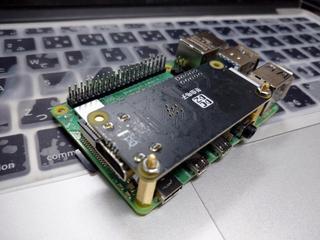
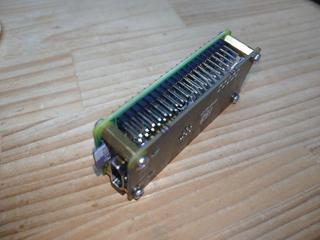
<p><a href="http://mt.yukine.info/torneo/assets_c/2021/12/20211231-4-1545.html"></a>RaspberryPi Zero の方もスペーサーを噛まして2階建てにしてみました。<br />サイズ的にはこちらがコンパクトで使いやすそうです。<br />但し、Zeroはパフォーマンス的にRaspberryPi4に大きく劣るため、フレームレートなどが上がりませんし、H.264のエンコードも出来ません。先日でたZero2に期待してます。機会が有ればやってみます。</p>
<p><a href="http://mt.yukine.info/torneo/assets_c/2021/12/20211231-4-1545.html"><img src="http://mt.yukine.info/torneo/assets_c/2021/12/20211231-4-thumb-320xauto-1545.jpg" alt="20211231-4.jpg" class="mt-image-none" width="320" height="240" /></a></p>
<p>さて、Pi-KVMには、CD-ROMエミュレーションと、USBメモリデバイスのエミュレーションが有りますが、通常の設定では、仮想メモリデバイスへの書き込みが出来ません。<br />次の手順で書き込みが出来る事を確認しました。（コマンド操作必要）</p>
<p>マウント <br /><code></code></p>
<blockquote>
<p><code>mount -o remount,rw /dev/mmcblk0p3</code></p>
<p><code>kvmd-otgmsd --set-image /var/lib/kvmd/msd/images/xxxx.img --set-rw 1 --set-cdrom 0 </code></p>
</blockquote>
<p>アンマウント</p>
<blockquote>
<p><code> kvmd-otgmsd --eject </code></p>
</blockquote>]]>
    </content>
</entry>

<entry>
    <title>モバイルモニタのVESAマウントを変換する。 - 平穏な日々 on MT</title>
    <link rel="alternate" type="text/html" href="http://mt.yukine.info/torneo/2021/12/vesa.html" />
    <id>tag:mt.yukine.info,2021:/torneo//3.828</id>

    <published>2021-12-26T00:56:10Z</published>
    <updated>2022-01-03T01:45:39Z</updated>

    <summary>数年前にメインモニタは4kにアップグレードして画面は広くなり情報量はFullHD...</summary>
    <author>
        <name>Hiromichi Iwaoka</name>
        
    </author>
    
        <category term="Computer and Network" scheme="http://www.sixapart.com/ns/types#category" />
    
    
    <content type="html" xml:lang="ja" xml:base="http://mt.yukine.info/torneo/">
        <![CDATA[<p>数年前にメインモニタは4kにアップグレードして画面は広くなり情報量はFullHD4枚分有る筈なのですが。<br />テレワークなどで使う事も増えてくると、やはり画面は複数枚有った方が使いやすい時も多々あるなぁと改めて感じました。(心理的に1枚全部作業に使いたいのかもしれません。）</p>
<p>先日購入した15.6インチの4k モバイルモニタですが、外出しないときは使われていないので、サブモニタに出来たら便利だなと思うものの、スペース的に置く場所が無い...<br />そんなわけで、工夫してモバイルモニタをもう一枚置いてみたよ。って言うのが今回の記事です。<br /><br /><a href="http://mt.yukine.info/torneo/assets_c/2022/01/20211226-1-1594.html" onclick="window.open('http://mt.yukine.info/torneo/assets_c/2022/01/20211226-1-1594.html','popup','width=1280,height=961,scrollbars=yes,resizable=no,toolbar=no,directories=no,location=no,menubar=no,status=no,left=0,top=0'); return false"><img src="http://mt.yukine.info/torneo/assets_c/2022/01/20211226-1-thumb-320xauto-1594.jpg" alt="20211226-1.jpg" class="mt-image-none" width="320" height="240" /></a><a href="http://mt.yukine.info/torneo/assets_c/2022/01/20211226-2-1595.html" onclick="window.open('http://mt.yukine.info/torneo/assets_c/2022/01/20211226-2-1595.html','popup','width=1280,height=961,scrollbars=yes,resizable=no,toolbar=no,directories=no,location=no,menubar=no,status=no,left=0,top=0'); return false"></a></p>
<p><a href="http://mt.yukine.info/torneo/assets_c/2022/01/20211226-2-1595.html" onclick="window.open('http://mt.yukine.info/torneo/assets_c/2022/01/20211226-2-1595.html','popup','width=1280,height=961,scrollbars=yes,resizable=no,toolbar=no,directories=no,location=no,menubar=no,status=no,left=0,top=0'); return false"><img src="http://mt.yukine.info/torneo/assets_c/2022/01/20211226-2-thumb-320xauto-1595.jpg" alt="20211226-2.jpg" class="mt-image-none" width="320" height="240" /></a></p>]]>
        <![CDATA[<p>やはり、一番の問題は設置スペースの問題で、並べる場所が無いんですよ。少し離れたところに置くと、視線移動が多すぎて極めて使いにくいんですよね。<br />気軽に移動できれば欲しい時だけ視界内に持ってこれるかなと過去に、モニタアーム等も使った事も有りますが、大げさすぎて可動範囲に結局物が置けず...　ダメでした。</p>
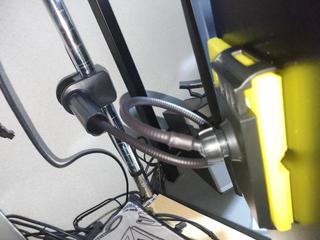
<p>そんな時に、ふと思い津8居たのが、先日　持ち歩きように購入していた15.6インチのモバイルモニタです。<br />都合よく背面に、VESA 75の固定孔も有るので、固定は出来そうなのですが、</p>
<ul>
<li>固定しまって持ち歩けなくなったら、モバイルモニタ買った意味がない。</li>
<li>手く棚から吊るとか、簡素なフレキシブルアームとかで固定したい。</li>
</ul>
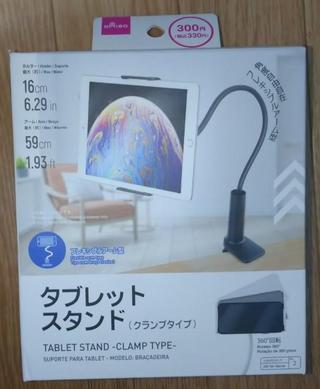
<p>と思った次第。<br />しかし、そういう便利な物売ってないんですよね。タブレット用は10インチ前後が限界で、モニター用だとアームが大げさになりすぎます。売ってないなら何か考えてみるか...<br />色々探していると、ダイソーのタブレットスタンドが優秀と言うネットの情報を見かけて物は試しに購入してみました。<br /><a href="http://mt.yukine.info/torneo/assets_c/2022/01/20211226-7-1618.html" onclick="window.open('http://mt.yukine.info/torneo/assets_c/2022/01/20211226-7-1618.html','popup','width=607,height=739,scrollbars=yes,resizable=no,toolbar=no,directories=no,location=no,menubar=no,status=no,left=0,top=0'); return false"><img src="http://mt.yukine.info/torneo/assets_c/2022/01/20211226-7-thumb-autox389-1618.jpg" alt="20211226-7.jpg" class="mt-image-none" width="320" height="389" /></a></p>
<p>意外と丈夫でモバイルモニタでもなんとかなるのでは？？　しかし重量以前に15.6インチはデカすぎて挟めない！</p>
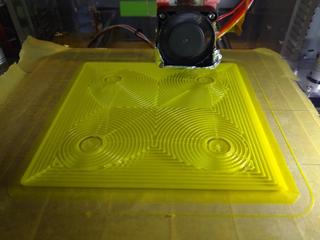
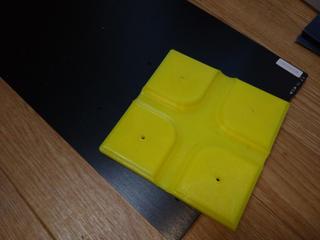
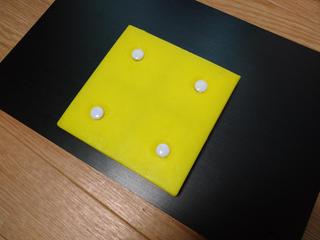
<p>そこで、簡易的にVESAマウントにタブレットホルダに固定できるアダプタを作って固定してみる事にしました。ネジは、すぐに持ち出せるように手で回せるものにしておきましおた。3Dプリンタでチャチャっと作ってみます。</p>
<p><a href="http://mt.yukine.info/torneo/assets_c/2022/01/20211226-3-1611.html" onclick="window.open('http://mt.yukine.info/torneo/assets_c/2022/01/20211226-3-1611.html','popup','width=1280,height=961,scrollbars=yes,resizable=no,toolbar=no,directories=no,location=no,menubar=no,status=no,left=0,top=0'); return false"><img src="http://mt.yukine.info/torneo/assets_c/2022/01/20211226-3-thumb-320xauto-1611.jpg" alt="20211226-3.jpg" class="mt-image-none" width="320" height="240" /></a><a href="http://mt.yukine.info/torneo/assets_c/2022/01/20211226-4-1609.html" onclick="window.open('http://mt.yukine.info/torneo/assets_c/2022/01/20211226-4-1609.html','popup','width=1280,height=961,scrollbars=yes,resizable=no,toolbar=no,directories=no,location=no,menubar=no,status=no,left=0,top=0'); return false"><img src="http://mt.yukine.info/torneo/assets_c/2022/01/20211226-4-thumb-320xauto-1609.jpg" alt="20211226-4.jpg" class="mt-image-none" width="320" height="240" /></a></p>
<p>ホルダー部分い挟ませてみます。<br />うん、いい感じ。但し縦横回すと滑って落ちますね...　仕方ないか。</p>
<p><a href="http://mt.yukine.info/torneo/assets_c/2022/01/20211226-5-1610.html" onclick="window.open('http://mt.yukine.info/torneo/assets_c/2022/01/20211226-5-1610.html','popup','width=1280,height=961,scrollbars=yes,resizable=no,toolbar=no,directories=no,location=no,menubar=no,status=no,left=0,top=0'); return false"><img src="http://mt.yukine.info/torneo/assets_c/2022/01/20211226-5-thumb-320xauto-1610.jpg" alt="20211226-5.jpg" class="mt-image-none" width="320" height="240" /></a></p>
<p>流石に重量が有るので、アームを伸ばした状態では全く支えられそうに有りませんが、くるんと巻いて短くしてあげれば何とか支えてくれてます。根本はメタルラックのポールに挟んでみました。</p>
<p><a href="http://mt.yukine.info/torneo/assets_c/2022/01/20211226-8-1619.html" onclick="window.open('http://mt.yukine.info/torneo/assets_c/2022/01/20211226-8-1619.html','popup','width=1280,height=961,scrollbars=yes,resizable=no,toolbar=no,directories=no,location=no,menubar=no,status=no,left=0,top=0'); return false"><img src="http://mt.yukine.info/torneo/assets_c/2022/01/20211226-8-thumb-320xauto-1619.jpg" alt="20211226-8.jpg" class="mt-image-none" width="320" height="240" /></a></p>
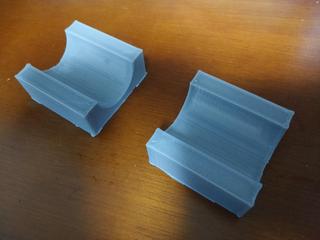
<p>オマケ...<br />しっかり固定できるようにメタルタックのポール用のアダプタも3Dプリンタで作ってみました。<br />がっちり固定できてます。</p>
<p><a href="http://mt.yukine.info/torneo/assets_c/2022/01/20211226-6-1620.html" onclick="window.open('http://mt.yukine.info/torneo/assets_c/2022/01/20211226-6-1620.html','popup','width=1280,height=961,scrollbars=yes,resizable=no,toolbar=no,directories=no,location=no,menubar=no,status=no,left=0,top=0'); return false"><img src="http://mt.yukine.info/torneo/assets_c/2022/01/20211226-6-thumb-320xauto-1620.jpg" alt="20211226-6.jpg" class="mt-image-none" width="320" height="240" /></a></p>
<p>しかし、4k 2画面の情報の密度半端ないなぁ。ますます職場環境に戻りたくなくなる...<br />コロナ落ち着いてテレワーク制度が廃止されてしまったんですけどね。　orz</p>]]>
    </content>
</entry>

<entry>
    <title>HPE Smartarray P412 BBWC バッテリー修理・ディスク交換 - 平穏な日々 on MT</title>
    <link rel="alternate" type="text/html" href="http://mt.yukine.info/torneo/2021/12/hpe-smartarray-p412-bbwc.html" />
    <id>tag:mt.yukine.info,2021:/torneo//3.827</id>

    <published>2021-12-15T16:58:25Z</published>
    <updated>2021-12-31T17:42:02Z</updated>

    <summary>職場でテスト用に使っている古いHPEのサーバーのディスクが一本壊れました。 兎に...</summary>
    <author>
        <name>Hiromichi Iwaoka</name>
        
    </author>
    
        <category term="Computer and Network" scheme="http://www.sixapart.com/ns/types#category" />
    
        <category term="Electronics" scheme="http://www.sixapart.com/ns/types#category" />
    
    
    <content type="html" xml:lang="ja" xml:base="http://mt.yukine.info/torneo/">
        <![CDATA[<p>職場でテスト用に使っている古いHPEのサーバーのディスクが一本壊れました。</p>
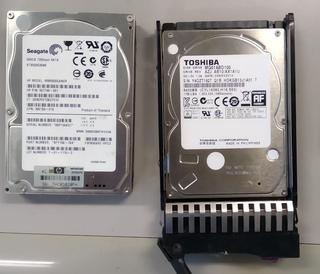
<p>兎に角動けばいっかーと言う事で、ありあわせの部材でコスト最優先で修理していきます。<br />今回は、そのやっつけ修理のメモです。<br /><a href="http://mt.yukine.info/torneo/assets_c/2022/01/20211215-disk-1579.html" onclick="window.open('http://mt.yukine.info/torneo/assets_c/2022/01/20211215-disk-1579.html','popup','width=1194,height=1025,scrollbars=yes,resizable=no,toolbar=no,directories=no,location=no,menubar=no,status=no,left=0,top=0'); return false"><img src="http://mt.yukine.info/torneo/assets_c/2022/01/20211215-disk-thumb-320xauto-1579.jpg" alt="20211215-disk.jpg" class="mt-image-none" width="320" height="274" /></a></p>
<p><a href="http://mt.yukine.info/torneo/assets_c/2022/01/20211215-SA2-1582.html" onclick="window.open('http://mt.yukine.info/torneo/assets_c/2022/01/20211215-SA2-1582.html','popup','width=800,height=601,scrollbars=yes,resizable=no,toolbar=no,directories=no,location=no,menubar=no,status=no,left=0,top=0'); return false"><img src="http://mt.yukine.info/torneo/assets_c/2022/01/20211215-SA2-thumb-320xauto-1582.jpg" alt="20211215-SA2.jpg" class="mt-image-none" width="320" height="240" /></a></p>]]>
        <![CDATA[<p>まず、ディスクです。</p>
<p>元のディスクはSeagateの<strong>ST9500530NS</strong></p>
<ul>
<li>  インターフェース SATA</li>
<li>容量 500GB</li>
<li>回転数 7200rpm</li>
<li>セクタサイズ 512Byte</li>
<li> 厚さ 14.8mm</li>
</ul>
<p>意外と容量が大きく、7200rpmの割にインターフェスがSATAと言うサーバーぐらいでしか使われないと思われる、比較的貴重な品、普通に調達するとそこそこお高い。なんとか安く延命したい所です。手元をガサガサしてると、SATA 1TBと言うのが見つかりましたが、でも完全にパソコン用...</p>
<p>手元で見つけたディスク <strong>MQ01ABD100</strong></p>
<ul>
<li>インターフェース SATA</li>
<li>容量 1TB</li>
<li>回転数 5400rpm</li>
<li>セクタサイズ 512Byte</li>
<li>厚さ　9.5mm</li>
</ul>
<p>基本的にサーバー用RAIDカードでは</p>
<ul>
<li>SAS/SATA混在不可　-&gt; OK</li>
</ul>
<p>また、セクタサイズ違いも恐らくダメなはず。（動いても、著しくパフォーマンス落ちるかと...）</p>
<ul>
<li> セクタサイズ違い混在不可　-&gt; OK</li>
</ul>
<p>容量は、既存より多きれば、再構築は可能なはず。 問題は回転数なのですが、マニュアルのどこを見ても、<strong>「回転数違いのディスクは混在不可」とは書かれていません</strong>でした。</p>
<p>ダメ元で、刺してみたら、動いた！ラッキー</p>
<hr />
<p>さて、ディスクが再構築が終わったところで、実は古すぎて随分前からアレイコントローラーのバッテリーが劣化しており、ライトバックが無効になって居たため、著しくパフォーマンスが低下しているはず。こちらも延命目的で無理矢理なおしてみます。</p>
<p><a href="http://mt.yukine.info/torneo/assets_c/2022/01/20211215-SA1-1585.html" onclick="window.open('http://mt.yukine.info/torneo/assets_c/2022/01/20211215-SA1-1585.html','popup','width=800,height=330,scrollbars=yes,resizable=no,toolbar=no,directories=no,location=no,menubar=no,status=no,left=0,top=0'); return false"><img src="http://mt.yukine.info/torneo/assets_c/2022/01/20211215-SA1-thumb-320xauto-1585.jpg" alt="20211215-SA1.jpg" class="mt-image-none" width="320" height="132" /></a></p>
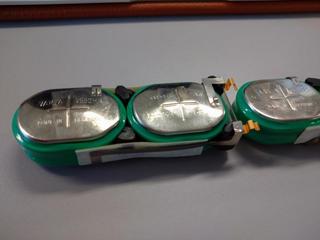
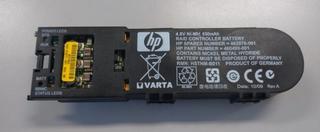
<p>こちらが、RAIDコントローラーに接続されるバッテリーモジュールで冒頭の小判型のニッケル水素電池が４つ直列にされて内蔵されています。<br />以前から、知人に ４セルのニッケル水素電池だから、その辺の充電池で代替できるんじゃない？と言われてはいたのですが、面倒だしそこそこコスト掛かるので放置しておりました（苦笑</p>
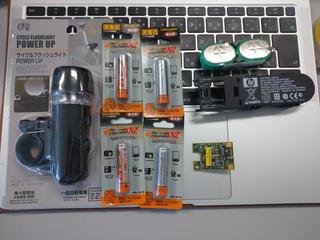
<p>安く治したいよねーと言う事で、電池ボックス代も勿体ないなぁと百均で色々具合の良さそうなものを探していたのですが、4本仕様で使えそうなものが少なく、見つけたのが自転車用の懐中電灯！これの電池ボックスを流用することに。<br />充電池4本と併せて、1台当たり￥５００也！　安い！<br /><a href="http://mt.yukine.info/torneo/assets_c/2022/01/20211215-SA3-1587.html" onclick="window.open('http://mt.yukine.info/torneo/assets_c/2022/01/20211215-SA3-1587.html','popup','width=1023,height=768,scrollbars=yes,resizable=no,toolbar=no,directories=no,location=no,menubar=no,status=no,left=0,top=0'); return false"><img src="http://mt.yukine.info/torneo/assets_c/2022/01/20211215-SA3-thumb-320xauto-1587.jpg" alt="20211215-SA3.jpg" class="mt-image-none" width="320" height="240" /></a></p>
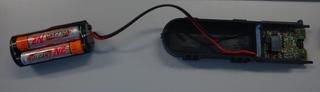
<p>後は、元からあった電池の代わりに接続してやるだけ！大きさが違うので、外付けにせざる得ませんけどね...　急場しのぎにはなりそう。<br /><a href="http://mt.yukine.info/torneo/assets_c/2022/01/20211215-SA4-1586.html" onclick="window.open('http://mt.yukine.info/torneo/assets_c/2022/01/20211215-SA4-1586.html','popup','width=794,height=230,scrollbars=yes,resizable=no,toolbar=no,directories=no,location=no,menubar=no,status=no,left=0,top=0'); return false"><img src="http://mt.yukine.info/torneo/assets_c/2022/01/20211215-SA4-thumb-320xauto-1586.jpg" alt="20211215-SA4.jpg" class="mt-image-none" width="320" height="92" /></a></p>
<p>結果一応、ちゃんと充電もされて動きました。稼働状態で接続しなおしたり、<strong>充電完了してもうまくライトバックが有効にならずサーバーの再起動が必要になりましたが、これは正常なのかな？</strong>　まぁ、暫くこれで様子を見たいと思います。</p>]]>
    </content>
</entry>

<entry>
    <title>宮崎出張 - 平穏な日々 on MT</title>
    <link rel="alternate" type="text/html" href="http://mt.yukine.info/torneo/2021/12/post-273.html" />
    <id>tag:mt.yukine.info,2021:/torneo//3.825</id>

    <published>2021-12-14T14:57:55Z</published>
    <updated>2021-12-31T16:39:51Z</updated>

    <summary>久々に、宮崎のお客さんの所へ出張に行ってきました。コロナが一段落した事も有ります...</summary>
    <author>
        <name>Hiromichi Iwaoka</name>
        
    </author>
    
        <category term="旅行＆散策" scheme="http://www.sixapart.com/ns/types#category" />
    
    
    <content type="html" xml:lang="ja" xml:base="http://mt.yukine.info/torneo/">
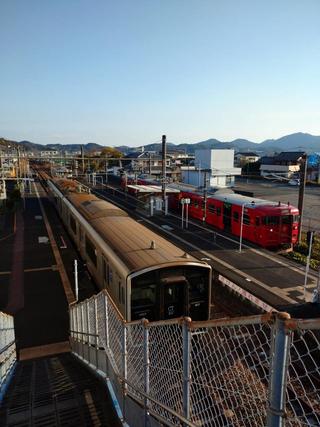
        <![CDATA[<p>久々に、宮崎のお客さんの所へ出張に行ってきました。<br />コロナが一段落した事も有りますが、1年ぶり？</p>
<p><a href="http://mt.yukine.info/torneo/assets_c/2022/01/20211214-1-1558.html"><img src="http://mt.yukine.info/torneo/assets_c/2022/01/20211214-1-thumb-autox427-1558.jpg" alt="20211214-1.jpg" class="mt-image-none" width="320" height="427" /></a></p>]]>
        <![CDATA[<p><a href="http://mt.yukine.info/torneo/assets_c/2022/01/20211214-2-1557.html" onclick="window.open('http://mt.yukine.info/torneo/assets_c/2022/01/20211214-2-1557.html','popup','width=1280,height=961,scrollbars=yes,resizable=no,toolbar=no,directories=no,location=no,menubar=no,status=no,left=0,top=0'); return false"><img src="http://mt.yukine.info/torneo/assets_c/2022/01/20211214-2-thumb-320xauto-1557.jpg" alt="20211214-2.jpg" class="mt-image-none" width="320" height="240" /></a></p>
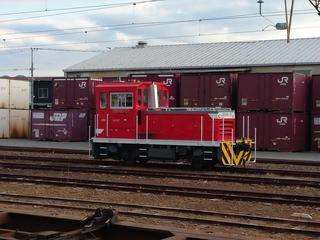
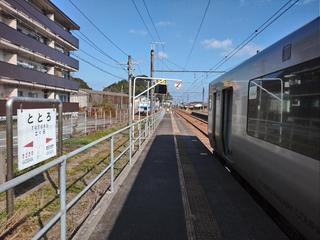
<p>朝に駅構内で見かけたかわいらしいディーゼルカー　おもちゃみたい（＾＾<br />DB500って...　確かに良く見ると2軸ですね。　これで引っ張れるのかなぁ？入れ替え用？</p>
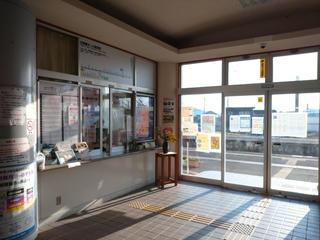
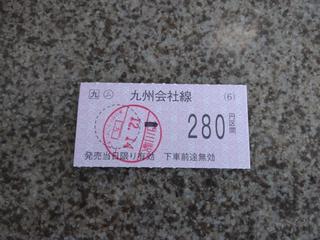
<p><a href="http://mt.yukine.info/torneo/assets_c/2022/01/20211214-3-1559.html" onclick="window.open('http://mt.yukine.info/torneo/assets_c/2022/01/20211214-3-1559.html','popup','width=1280,height=961,scrollbars=yes,resizable=no,toolbar=no,directories=no,location=no,menubar=no,status=no,left=0,top=0'); return false"><img src="http://mt.yukine.info/torneo/assets_c/2022/01/20211214-3-thumb-320xauto-1559.jpg" alt="20211214-3.jpg" class="mt-image-none" width="320" height="240" /></a><a href="http://mt.yukine.info/torneo/assets_c/2022/01/20211214-4-1556.html" onclick="window.open('http://mt.yukine.info/torneo/assets_c/2022/01/20211214-4-1556.html','popup','width=1280,height=961,scrollbars=yes,resizable=no,toolbar=no,directories=no,location=no,menubar=no,status=no,left=0,top=0'); return false"><br /><img src="http://mt.yukine.info/torneo/assets_c/2022/01/20211214-4-thumb-320xauto-1556.jpg" alt="20211214-4.jpg" class="mt-image-none" width="320" height="240" /></a><br />一昔前は硬券？とかいう固い切符だった記憶が有りますが。今は普通の紙になってるみたい。でも自動改札は有りません...<br />この駅を前回使ったのは娘が生まれた日だった記憶が有るので、15年ぶりぐらい？　懐かしいです。</p>
<p><a href="http://mt.yukine.info/torneo/assets_c/2022/01/20211214-5-1560.html" onclick="window.open('http://mt.yukine.info/torneo/assets_c/2022/01/20211214-5-1560.html','popup','width=1280,height=961,scrollbars=yes,resizable=no,toolbar=no,directories=no,location=no,menubar=no,status=no,left=0,top=0'); return false"><img src="http://mt.yukine.info/torneo/assets_c/2022/01/20211214-5-thumb-320xauto-1560.jpg" alt="20211214-5.jpg" class="mt-image-none" width="320" height="240" /></a><br />ととろ？特に意味はない...</p>]]>
    </content>
</entry>

<entry>
    <title>マイコンボード色々 - 平穏な日々 on MT</title>
    <link rel="alternate" type="text/html" href="http://mt.yukine.info/torneo/2021/12/post-274.html" />
    <id>tag:mt.yukine.info,2021:/torneo//3.826</id>

    <published>2021-12-06T16:40:10Z</published>
    <updated>2021-12-31T16:43:34Z</updated>

    <summary>社内報の記事にの挿絵にでもしようかと、自宅に有ったマイコンボード関係をゴソゴソ集...</summary>
    <author>
        <name>Hiromichi Iwaoka</name>
        
    </author>
    
        <category term="Computer and Network" scheme="http://www.sixapart.com/ns/types#category" />
    
        <category term="Electronics" scheme="http://www.sixapart.com/ns/types#category" />
    
    
    <content type="html" xml:lang="ja" xml:base="http://mt.yukine.info/torneo/">
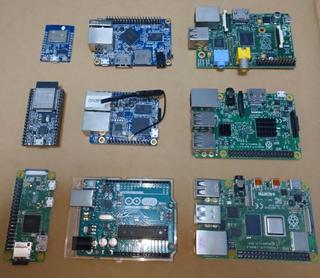
        <![CDATA[<p>社内報の記事にの挿絵にでもしようかと、自宅に有ったマイコンボード関係をゴソゴソ集めてみたら結構沢山の種類が出てきました！（ほかにも色々ありますけど、めぼしい物だけ並べてみた）<br /><br />さぁ、何が有るでしょう...<br /><br /><a href="http://mt.yukine.info/torneo/assets_c/2022/01/20211207-1576.html" onclick="window.open('http://mt.yukine.info/torneo/assets_c/2022/01/20211207-1576.html','popup','width=732,height=638,scrollbars=yes,resizable=no,toolbar=no,directories=no,location=no,menubar=no,status=no,left=0,top=0'); return false"><img src="http://mt.yukine.info/torneo/assets_c/2022/01/20211207-thumb-320xauto-1576.jpg" alt="20211207.JPG" class="mt-image-none" width="320" height="278" /></a></p>]]>
        
    </content>
</entry>

<entry>
    <title>Pi-KVMを試してみた。 - 平穏な日々 on MT</title>
    <link rel="alternate" type="text/html" href="http://mt.yukine.info/torneo/2021/08/pi-kvm.html" />
    <id>tag:mt.yukine.info,2021:/torneo//3.823</id>

    <published>2021-08-16T14:40:10Z</published>
    <updated>2021-08-16T15:16:25Z</updated>

    <summary>コロナ禍でもあり、遠隔からのサポートも改めて課題になっています。勿論、RDPやV...</summary>
    <author>
        <name>Hiromichi Iwaoka</name>
        
    </author>
    
        <category term="Computer and Network" scheme="http://www.sixapart.com/ns/types#category" />
    
        <category term="Electronics" scheme="http://www.sixapart.com/ns/types#category" />
    
    
    <content type="html" xml:lang="ja" xml:base="http://mt.yukine.info/torneo/">
        <![CDATA[<p>コロナ禍でもあり、遠隔からのサポートも改めて課題になっています。<br /><br />勿論、RDPやVNCなどでの遠隔操作もありですが、セキュリティ面やハード障害児の対応を考えると、ハードウェア的アプローチが必須になります。<br /><br />サーバー専用機では、リモートコンソール機能なども数万円のオプションとして販売されて居るものを使うか（HPE iLo/DELL iDRACなど）IPKVM(ATEN CN80000Aなど）を使うかと言うのが一般的でしょうか？<br /><br />なかなか、価格がネックになり気軽に配備する事は難しかったのですが、RaspberryPiを使った、プロジェクトがありました。$100で実現すると言う売りですが‥<br />https://github.com/pikvm/pikvm</p>
<p><a href="http://mt.yukine.info/torneo/assets_c/2021/08/Pi-KVM-Screenshot-1534.html" onclick="window.open('http://mt.yukine.info/torneo/assets_c/2021/08/Pi-KVM-Screenshot-1534.html','popup','width=1871,height=1572,scrollbars=yes,resizable=no,toolbar=no,directories=no,location=no,menubar=no,status=no,left=0,top=0'); return false"><img src="http://mt.yukine.info/torneo/assets_c/2021/08/Pi-KVM-Screenshot-thumb-320xauto-1534.jpg" alt="Pi-KVM-Screenshot.jpg" class="mt-image-none" width="320" height="269" /></a></p>
<p><br /><br />- リモートビデオ<br />- キーボードマウス操作<br />- リモートメディア機能（ISOなどのアップロードをしてCDやFlashドライブのエミュレート）<br /><br />など、基本機能は全て実装されています。<a href="http://mt.yukine.info/torneo/assets_c/2021/08/Pi-KVM-Screenshot.2jpg-1533.html" onclick="window.open('http://mt.yukine.info/torneo/assets_c/2021/08/Pi-KVM-Screenshot.2jpg-1533.html','popup','width=1479,height=1167,scrollbars=yes,resizable=no,toolbar=no,directories=no,location=no,menubar=no,status=no,left=0,top=0'); return false"></a></p>]]>
        <![CDATA[<p><a href="http://mt.yukine.info/torneo/assets_c/2021/08/Pi-KVM-Screenshot.2jpg-1533.html" onclick="window.open('http://mt.yukine.info/torneo/assets_c/2021/08/Pi-KVM-Screenshot.2jpg-1533.html','popup','width=1479,height=1167,scrollbars=yes,resizable=no,toolbar=no,directories=no,location=no,menubar=no,status=no,left=0,top=0'); return false"><img src="http://mt.yukine.info/torneo/assets_c/2021/08/Pi-KVM-Screenshot.2jpg-thumb-320xauto-1533.jpg" alt="Pi-KVM-Screenshot.2jpg.jpg" class="mt-image-none" width="320" height="252" /></a></p>
<p>RaspberryPiは、3/ZeroW/4に対応して居る様ですが、ZeroWと4ではUSB-OTG機能を活用する事で、特別な外付けハードウェア無しでキーボード・マウスのエミュレーションが出来ます。</p>
<p>ビデオ取り込みは、HDMI-USBドングルを利用するか、HDMI-CSI変換を利用してカメラインターフェースから取り込めます。安定性・パフォーマンスではCSIへの変換が良い様です。</p>
<h1>今回のポイント</h1>
<h2>RaspberryPi 4かZeroか？USBかCSIか？</h2>
<ul>
<li>パフォーマンスと安定性狙いで、HDMI-CSI変換を使う方法を試しました。</li>
<li>RaspberryPiは、USB-OTGのシンプルさも有り、ZeroWか4ですが、サイズや価格面からZeroWで行きたいと思います。</li>
</ul>
<p>参考までに、 - HDMI-USBでに取り込みでは、確かに遅延が発生し操作がしづらくなります。- ZeroWではUSBドングルでの取り込みは対応しません。 - 画像転送のパフォーマンスはZeroWではやはりパワー不足で低いです。FullHDで5FPS程度、1280x1024で10FPS程度でした。</p>
<h2>接続環境の想定</h2>
<p>低コスト、小型と言う天から、やはり展開の手軽さ素早さは重要と考えます。 - ZeroWではWiFiでの接続になります。Pocket WiFiやスマホのテザリングなどでの中継を想定したいと思います。 - インターネット回線を使うことを想定し、何らかのVPNが必要そうです。最近マイブームのSoftEtherでチャレンジしてみます。</p>
<h1>利用ハードウェア</h1>
<ul>
<li>RaspberryPi Zero WH
<ul>
<li>2000円ぐらい</li>
</ul>
</li>
<li>HDMI to CSI Bridge
<ul>
<li>TC358743XBGを搭載したもの</li>
<li>5000円ぐらい</li>
<li>参考 https://www.ebay.com/itm/353070571951</li>
</ul>
</li>
<li>ストレージ
<ul>
<li>16GB MiroSD(TF)</li>
</ul>
</li>
<li>その他小物類（必要に応じて）
<ul>
<li>電源アダプタ</li>
<li>USBケーブル類</li>
<li>HDMIケーブル類
<ul>
<li>EDIDエミュレター</li>
<li>HDMI分配器など</li>
</ul>
</li>
<li>キーボード・マウス類（セットアップ用）</li>
</ul>
</li>
</ul>
<p><a href="http://mt.yukine.info/torneo/assets_c/2021/08/Pi-KVM-Hardware-1535.html" onclick="window.open('http://mt.yukine.info/torneo/assets_c/2021/08/Pi-KVM-Hardware-1535.html','popup','width=960,height=1281,scrollbars=yes,resizable=no,toolbar=no,directories=no,location=no,menubar=no,status=no,left=0,top=0'); return false"><img src="http://mt.yukine.info/torneo/assets_c/2021/08/Pi-KVM-Hardware-thumb-autox427-1535.jpg" alt="Pi-KVM-Hardware.jpg" class="mt-image-none" width="320" height="427" /></a></p>
<h1>PiKVMイメージ作成</h1>
<p>https://github.com/pikvm/pikvm <br /> ここから導入、Ubuntuでイメージ作成</p>
<ul>
<li>
<p>インストール後の動作確認 <br /> Streamをブラウザで表示させた場合、テストパターンから表示されない状況が発生。 ⇨Edge(Chrome)だと表示された。Firefoxの一部環境ではバッティングするらしい。</p>
</li>
<li>
<p>インストール後のWiFi設定ファイル /etc/netctl　の下に設定ファイルあります。</p>
</li>
</ul>
<h1>SoftEtherのビルド</h1>
<p>https://w.vmeta.jp/tdiary/20190924.html <br /> こちらにある問題にまさに当たり、ROファイルシステムでは起動しない。 CFLAGSで変更できるらしいのだが、やり方わからず、ソースに直接パッチを当ててビルドする。</p>
<p>この辺を参考にした。 https://bz-attachments.freebsd.org/attachment.cgi?id=180342</p>
<p>PiKVMのイメージをそのまま使ってビルド可能 RW設定にしてから、ソースからビルドする。</p>
<p>ROに対応させるため、最低限のファイルの作成先を変更するため、ソースに以下のパッチを適用する。</p>
<ul>
<li>Cedar.h</li>
</ul>
<pre><code>#define    SERVER_LOG_DIR_NAME            "/var/log/softether/server"<br />#define    HUB_SECURITY_LOG_DIR_NAME    "/var/log/softether/security"<br />#define    HUB_SECURITY_LOG_FILE_NAME    "/var/log/softether/security/%s"<br />#define    HUB_PACKET_LOG_DIR_NAME        "/var/log/softether/packet"<br />#define    HUB_PACKET_LOG_FILE_NAME    "/var/log/softether/packet/%s"<br />#define    NAT_LOG_DIR_NAME            "/var/log/softether/secure_nat"<br />#define    NAT_LOG_FILE_NAME            "/var/log/softether/secure_nat/%s"<br />#define    CLIENT_LOG_DIR_NAME            "/var/log/softether/client"<br />#define TINY_LOG_DIRNAME            "/var/log/softether/tiny"<br />#define TINY_LOG_FILENAME            "/var/log/softether/tiny/%04u%02u%02u_%02u%02u%02u.log"<br />#define CE_SNAPSHOT_DIR_NAME        "/var/log/softether/carrier"<br />#define    EL_PACKET_LOG_DIR_NAME    "/var/log/softether/etherlogger"<br />#define    EL_PACKET_LOG_FILE_NAME    "/var/log/softether/etherlogger/%s"</code>Unix.c GetExeDirname()周辺を探して３箇所修正</pre>
<pre><code>Format(name, sizeof(name), "/run/.%s", tmp);<br />Format(name, size, "/run/.pid_%s", tmp1);<br />Format(name, size, "/run/.ctl_%s", tmp1);</code></pre>
<h1>SoftEtherの導入</h1>
<ul>
<li>完成したバイナリを保管
<ul>
<li>前項でビルドしたコンパイル済みバイナリの退避（保管）</li>
<li>./bin/配下を保管し、PiKVMイメージを戻す。（クリーンアップ）</li>
</ul>
</li>
<li>バイナリを配置
<ul>
<li>保管した ./bin/vpnserver vpnclient vpncmd vpnbridgeフォルダを /usr/配下にコピーする。</li>
<li>各フォルダ内の実行ファイルにchmod +xで実行権限付与 <br /> hamcore.se2には付与必要なし。</li>
</ul>
</li>
<li>実行スクリプトを/usr/bin以下に配置
<ul>
<li>chmod +xして実行権限を付与</li>
<li>vpnclientの起動スクリプトのみ、接続後のアドレス取得などのために、辻褄合わせで、dhclientなどを起動して居る。（スキル的に他に良いやり方が思いつかない）</li>
</ul>
</li>
</ul>
<pre><code>vpnclient<br /><br />#!/bin/sh<br />mkdir /var/log/softether<br />/usr/vpnclient/vpnclient $@<br />sleep 10<br />dhclient vpn_vpn<br />exit $?</code></pre>
<pre><code>vpncmd<br /><br />#!/bin/sh<br />/usr/vpncmd/vpncmd $@<br />exit $?
</code></pre>
<pre><code>vpnbridge<br /><br />#!/bin/sh<br />/usr/vpnbridge/vpnbridge $@<br />exit $?</code></pre>
<pre><code>vpnserver<br /><br />#!/bin/sh<br />/usr/vpnserver/vpnserver $@<br />exit $?
</code></pre>
<ul>
<li>systemd起動設定ファイルの作成
<ul>
<li><code>/usr/lib/systemd/system/vpnclient.service</code>ファイルを作成</li>
<li><code>systemctl enable vpncient</code> で、自動起動を設定</li>
</ul>
</li>
</ul>
<pre><code>vpnclient.service<br /><br />[Unit]<br />Description=SoftEther VPN Client <br />After=network.target<br /><br />[Service]<br />Type=forking<br />ExecStart=/usr/bin/vpnclient start<br />ExecStop=/usr/bin/vpnserver stop<br />KillMode=process<br />Restart=on-failure<br /><br />[Install]<br />WantedBy=multi-user.target</code></pre>
<ul>
<li>VPN接続設定の作成
<ul>
<li><code>vpncmd</code>コマンドでコンフィグファイルを作成する。</li>
<li><code>AccountCreate</code>で接続設定作成</li>
<li><code>AccountPasswordSet</code>で接続パスワード設定</li>
<li><code>AccountStartupSet</code>で起動時の自動接続を有効化</li>
<li>その他</li>
<li><code>AccontList</code>で一覧表示</li>
<li><code>AccountConnect</code>で接続実行（テストとか？）</li>
</ul>
</li>
</ul>
<pre><code>[root@pikvm bin]# vpncmd<br />vpncmd command - SoftEther VPN Command Line Management Utility<br />SoftEther VPN Command Line Management Utility (vpncmd command)<br />Version 4.36 Build 9754   (English)<br />Compiled 2021/06/07 21:29:54 by buildsan at crosswin<br />Copyright (c) SoftEther VPN Project. All Rights Reserved.<br /><br />By using vpncmd program, the following can be achieved. <br /><br />1. Management of VPN Server or VPN Bridge <br />2. Management of VPN Client<br />3. Use of VPN Tools (certificate creation and Network Traffic Speed Test Tool)<br /><br />Select 1, 2 or 3: 2<br /><br />Specify the host name or IP address of the computer that the destination VPN Client is operating on. <br />If nothing is input and Enter is pressed, connection will be made to localhost (this computer).<br />Hostname of IP Address of Destination: <br /><br />Connected to VPN Client "localhost".<br /><br />VPN Client&gt;<br />VPN Client&gt;AccountCreate<br />AccountCreate command - Create New VPN Connection Setting<br />Name of VPN Connection Setting: test<br /><br />Destination VPN Server Host Name and Port Number: v<br />xxxxxxxxx.softether.net:5555<br /><br />Destination Virtual Hub Name: SoftEther<br /><br />Connecting User Name: user<br /><br />Used Virtual Network Adapter Name: vnic<br /><br />The command completed successfully.<br /><br />VPN Client&gt;AccountPasswordSet<br />AccountPasswordSet command - Set User Authentication Type of VPN Connection Setting to Password Authentication<br />Name of VPN Connection Setting: test<br /><br />Please enter the password. To cancel press the Ctrl+D key.<br /><br />Password: ********<br />Confirm input: ********<br /><br /><br />Specify standard or radius: standard<br /><br />The command completed successfully.<br /><br />VPN Client&gt;AccountStartupSet<br />AccountStartupSet command - Set VPN Connection Setting as Startup Connection<br />Name of VPN Connection Setting: test<br /><br />The command completed successfully.<br /><br />VPN Client&gt;</code></pre>
<h1>その他　メモ</h1>
<ul>
<li>netctlで自動設定時に、netctl start xxxとかやるけど。うまくいかない。 ip link set [dev] down で一度インターフェースをダウンさせてから実行しないとうまくいかないみたい。（謎）</li>
<li>netctlのDHCP Client dhcpcdとdhclientが選べるみたい。
<ul>
<li>DefaultGatewayの問題 標準のdhcpcdだと、取得時に強制的にデフォルトゲートウェイが設定され、同時に、VPNトラフィックが流れなくなってしまう。</li>
<li>DNSの問題 ついでにresolv.confも書き換えてくれる。 どーすりゃいいの？何か設定がありそうだけど・・・</li>
</ul>
</li>
<li>DNS設定の問題 　ROファイルシステムにして居る都合か、<code>/etc/resolv.conf</code>がWiFi側からの設定で常時上書きされない。 　初回起動時のDNS設定を覚えてしまって居る。 　一瞬RWに変更して、書き換えてROに戻せば対応可能だが・・・ 　なんとかならないものだろうか・・・</li>
<li>ifplugd入れてみたけど・・・ 使い方よくわからん。 よくわからないので、vpnclientの起動スクリプトから直接dhclientを叩く事にした。</li>
</ul>]]>
    </content>
</entry>

<entry>
    <title>ASUS  H97I-PlusでのNVMeデバイスからのブート改造 - 平穏な日々 on MT</title>
    <link rel="alternate" type="text/html" href="http://mt.yukine.info/torneo/2021/08/asus-h97i-plusnvme.html" />
    <id>tag:mt.yukine.info,2021:/torneo//3.822</id>

    <published>2021-08-13T13:50:41Z</published>
    <updated>2021-08-16T02:32:11Z</updated>

    <summary>今更ながらにM.2 NVMeとやらを触ってみたのでメモ。 従来のM.2がSATA...</summary>
    <author>
        <name>Hiromichi Iwaoka</name>
        
    </author>
    
        <category term="Computer and Network" scheme="http://www.sixapart.com/ns/types#category" />
    
        <category term="Electronics" scheme="http://www.sixapart.com/ns/types#category" />
    
    
    <content type="html" xml:lang="ja" xml:base="http://mt.yukine.info/torneo/">
        <![CDATA[<p>今更ながらにM.2 NVMeとやらを触ってみたのでメモ。</p>

<p><a href="http://mt.yukine.info/torneo/assets_c/2021/08/20210710-writer3-1515.html" onclick="window.open('http://mt.yukine.info/torneo/assets_c/2021/08/20210710-writer3-1515.html','popup','width=1280,height=961,scrollbars=yes,resizable=no,toolbar=no,directories=no,location=no,menubar=no,status=no,left=0,top=0'); return false"><img src="http://mt.yukine.info/torneo/assets_c/2021/08/20210710-writer3-thumb-320xauto-1515.jpg" alt="20210710-writer3.JPG" class="mt-image-none" width="320" height="240" /></a></p>

<p>従来のM.2がSATA接続であったのに対して、NVMeでは雑にいうとPCI Expressに直接Flash繋がる構成になって居ると理解。<br />（昔のC-Busに搭載した、LIM-EMSやIOバンク方式のメモリみたいなものなのですかね？）<br />OSにドライバがあれば、ストレージデバイスとして利用可能（そりゃそうだ）<br />OS起動前はBIOS(UEFI）で認識する必要がある。BIOSで、認識・起動できればNVMeから起動させることも出来る。<br />SATA接続の場合　単純にコネクタが変わって居るだけなので問題が少ないがNVMeの場合は、PCI接続のFlashを認識する必要がある。</p>

<p><span style="text-decoration: underline;"><strong>従って、マザーボードにM.2 NVMe対応のSSDを載せても、起動できるとは限らない！！！</strong></span></p>

<p>ということが解りました。<br /><br />今回は、この仕様と戦ったお話。</p>
]]>
        <![CDATA[<h1>環境と目標</h1>

<h2>環境</h2>

<ul>
<li>マザーボード：ASUS　H97I-Plus(ITX マザー)</li>
<li>M.2 NVMe：KIOXIA KBG40ZNS128G(どこかのマシンから取り去った）</li>
</ul>

<p>SSDは、2230タイプでした、短かすぎて本来搭載できない長さだが、テスト用途なので、電気的には問題なかろうとテープで止めて無理矢理搭載</p>

<h2>現状</h2>

<ul>
<li>SATAに繋いだ他のDiskから起動したり、OSインストーラーからは、NVMeを認識できる。 （接続に問題はないと考えられる。）</li>
<li>UEFIでドライブとして認識されておらず。ブートドライブに設定出来ない。</li>
<li>最新のFirmware(3602)に更新なども試してみるが、状況変わらず。</li>
<li>このMBでは、UEFIが、NVMe　SSDを認識出来る機能を持っていない？</li>
</ul>

<h2>目標</h2>

<ul>
<li>M.2 NVMeからブートしたい</li>
<li>USB Flashや、他のSATAドライブなどを介さずに、直接NVMeからブートしたい。</li>
</ul>

<h1>改変ファームウェア(UEFI)の準備</h1>

<p>ネット上を調べて居ると、ファームウェアを改変することで、NVMeからのブートに対応させることが出来る様です。
ここに詳しい手順が書かれています。</p>

<p>https://www.win-raid.com/t871f50-HowTo-Get-full-NVMe-support-for-all-Systems-with-an-AMI-UEFI-BIOS.html</p>

<p>ここも参考にしました。</p>

<p>https://datyotosanpo.blog.fc2.com/blog-entry-175.html?id=ASUS#ASUS</p>

<p>大まかな流れとしては</p>

<ul>
<li>ASUSのBIOSファイル(*.cap)から、<code>UEFITools</code>を使ってBIOS本体を取り出す</li>
<li>取り出したファイルを<code>UEFITools</code>または<code>MMTools</code>を使ってCSMCOREモジュールに別途ダウンロードしたNVMeブート用のモジュール(<code>NvmExpressDxe_4</code>)を組み込む</li>
<li>モジュールを組み込んだファイルを書き出す。
<BR></li>
<li>既存のBIOSを<code>IntelFPT</code>を使ってバックアップする。</li>
<li><code>FD44Editor</code>を使いバックアップしたBIOSから、個別情報(UUIDやNICのMACを取り出す）</li>
<li><code>FD44Editor</code>を使い改変したBIOSファイルに、取り出したUUIDとMACアドレスを書き戻して保存する。</li>
</ul>

<h1>ファームウェアの書き込み（失敗）</h1>

<p>完成した改変BIOSをマザーボードに書き込めば完成！の筈だったのですが。<BR>
通常の書き込みの仕方では、署名されていないためエラーで弾かれます。<BR>
前項のURLに、この制限を回避して書き込みを出来る様にする手順が色々と書かれて居るのですが、うまく行きませんでした。足掻いて居るとROMを完全に飛ばしてしまい。マザーボードがブートしない状況になってしまいました。orz<BR></p>

<h1>Flashライターを使った直接書き込み（成功）</h1>

<p>書き込むBIOSファイルのサイズをみて居ると、きっちり8MB...　なんか、Flashんチップに直接書き込めば、動く様な気がしなくもないです。<BR>
どうせ壊れたなら、もうちょっと遊んで見ましょうと言う事で、改めてマザーボードを眺めてみます。<BR></p>

<h2>Flashチップの特定</h2>

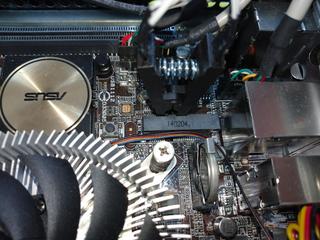
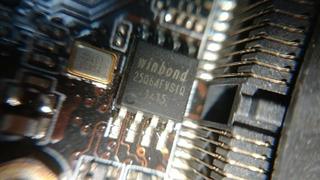
<p>MiniPCI Expressスロットの横に、Winbondの<code>25Q64FVSIQ</code>というSPIフラッシュのチップを発見。<BR>
64Mbit(=8MB)で、サイズも一致します。これに書き込めば復活するのでは？<BR>
<a href="http://mt.yukine.info/torneo/assets_c/2021/08/20210710-flash1-1513.html" onclick="window.open('http://mt.yukine.info/torneo/assets_c/2021/08/20210710-flash1-1513.html','popup','width=800,height=451,scrollbars=yes,resizable=no,toolbar=no,directories=no,location=no,menubar=no,status=no,left=0,top=0'); return false"><img src="http://mt.yukine.info/torneo/assets_c/2021/08/20210710-flash1-thumb-320xauto-1513.jpg" width="320" height="180" alt="20210710-flash1.jpg" class="mt-image-none" style="" /></a></p>

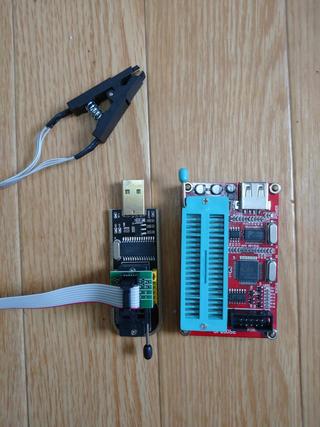
<h2>CH341AというFlashライター</h2>

<p>ROMを書くにはROMライターが必要な訳ですが。<BR>
手元に転がっていた怪しげなライター(SP200SE)の仕様を確認すると、5V系のみの対応みたいですね。似た様な安価なものはないかと探していたらありました！<BR>
<code>CH341A</code>という製品で、千円ぐらいでamazonで売られてます。これは試してみるしかない？<BR>
ちょうど都合の良いことにSOP8のICクリップがセットになったものもありました。これはチャレンジしてみるしか...<BR>
<a href="http://mt.yukine.info/torneo/assets_c/2021/08/20210710-writer2-1512.html" onclick="window.open('http://mt.yukine.info/torneo/assets_c/2021/08/20210710-writer2-1512.html','popup','width=960,height=1281,scrollbars=yes,resizable=no,toolbar=no,directories=no,location=no,menubar=no,status=no,left=0,top=0'); return false"><img src="http://mt.yukine.info/torneo/assets_c/2021/08/20210710-writer2-thumb-autox427-1512.jpg" width="320" height="427" alt="20210710-writer2.JPG" class="mt-image-none" style="" /></a></p>

<h2>書き込み実行</h2>

<p>MiniITXマザーで、所狭しと部品が並んでおり、MiniPCIeスロットにクリップが引っかかります。仕方ないのでICクリップ側を少し削ってチップをつかませたのが冒頭の写真です。<BR>
書き込みのためには、回路設計にもよりますが、最悪マザーボードからFlashチップを外す覚悟はしてましたが。SPIですし、ひょっとしたら行けてしまうんじゃなかろうかと、強引にクリップで掴んだ状態で書き込みを試みましたが、結論から行くと問題なく書き込めました！<BR>
<BR>
きちんと、再度ブートする様になりました。<BR>
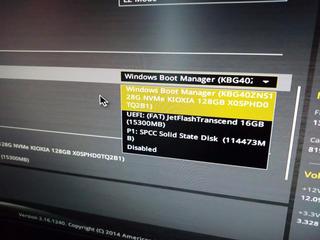
BIOS画面でも、NVMeが起動ドライブとして表示される様になりました。<BR>
<a href="http://mt.yukine.info/torneo/assets_c/2021/08/20210710-boot-order-1517.html" onclick="window.open('http://mt.yukine.info/torneo/assets_c/2021/08/20210710-boot-order-1517.html','popup','width=1280,height=961,scrollbars=yes,resizable=no,toolbar=no,directories=no,location=no,menubar=no,status=no,left=0,top=0'); return false"><img src="http://mt.yukine.info/torneo/assets_c/2021/08/20210710-boot-order-thumb-320xauto-1517.jpg" width="320" height="240" alt="20210710-boot-order.JPG" class="mt-image-none" style="" /></a>
<BR>
なんか、ソフトウェアプロテクトをなんとか回避して書き込もうの２〜３日悩みましたが、直接書き込んだ方が一撃で終わるというのが腑に落ちない気がしましたが...<BR>
<BR>
CH341Aで、下記２つのプログラムを使いました。（ドライバとプログラマ）</p>

<ul>
<li>CH341PAR.EXE</li>
<li>AsProgrammer_1.4.1.zip</li>
</ul>

<h1>おまけ１</h1>

<p>今回のNVMeではなく、追加搭載したSATA接続のSSDの方にWindowsをインストールしようとしたのですが、なぜかWIndowsのUEFIブートローダーですが、UEFIの設定にかかわらず、NVMeにブートローダーを書き込んでしまう始末。<BR>
NVMe側のOSのブートローダーを破壊してしまいます。<BR></p>

<p>https://qiita.com/rerymd/items/638a4fcf8f23ce8aab2d</p>

<ul>
<li>200MB程度のパーティションを作り</li>
<li>FAT32でフォーマットし　<code>ormat quick fs=fat32 label="ESP"</code></li>
<li>BCDBOOTコマンドでブートローダーを書き込む　<code>bcdboot C:\Windows /s P: /f UEFI</code></li>
</ul>

<p>という手順で好きなドライブに、ブートローダを書き込める様です。<BR>
（はて？どのブートパーティションからブートするかはどこで設定してるのだろう？まぁ、うまく動いてるからよしとしますか・・・）<BR></p>

<h1>おまけ２</h1>

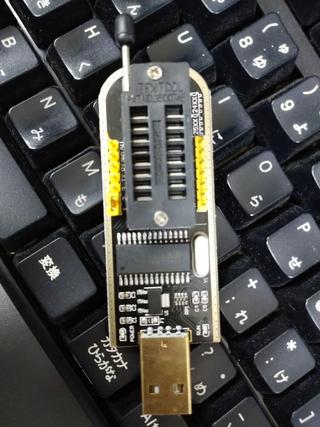
<p>この<code>CH341</code>というプログラマ ROMの抜き差し用にZIF(Zero Insertion Force)のソケットがついて居るのですが。<BR>
これ高いんですよね。1,000円ぐらいした記憶があります。<BR>
<a href="http://mt.yukine.info/torneo/assets_c/2021/08/20210710-writer-1514.html" onclick="window.open('http://mt.yukine.info/torneo/assets_c/2021/08/20210710-writer-1514.html','popup','width=960,height=1281,scrollbars=yes,resizable=no,toolbar=no,directories=no,location=no,menubar=no,status=no,left=0,top=0'); return false"><img src="http://mt.yukine.info/torneo/assets_c/2021/08/20210710-writer-thumb-autox427-1514.jpg" width="320" height="427" alt="20210710-writer.jpg" class="mt-image-none" style="" /></a><BR>
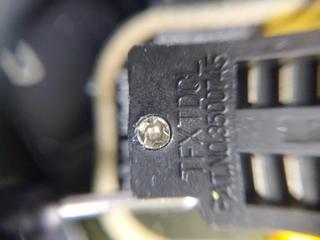
よく1,000円のROMライタに、こんな部品使えるなぁ。と眺めて居るとTEXTOOLのロゴが見えました。一流品じゃないですか！　コスト的にあり得ないよね？？？<BR>
<a href="http://mt.yukine.info/torneo/assets_c/2021/08/20210710-tfxtdol-1516.html" onclick="window.open('http://mt.yukine.info/torneo/assets_c/2021/08/20210710-tfxtdol-1516.html','popup','width=1280,height=961,scrollbars=yes,resizable=no,toolbar=no,directories=no,location=no,menubar=no,status=no,left=0,top=0'); return false"><img src="http://mt.yukine.info/torneo/assets_c/2021/08/20210710-tfxtdol-thumb-320xauto-1516.jpg" width="320" height="240" alt="20210710-tfxtdol.jpg" class="mt-image-none" style="" /></a><BR>
よーーく虫眼鏡で見ると。TFXTDOLでした。勝手な空目なので偽物じゃないかも知れないけど。そこまでしなくても良いだろと、久々に笑いました。<BR>
このセンス、嫌いじゃないw<BR></p>
]]>
    </content>
</entry>

<entry>
    <title>スマホ電池交換祭り？ - 平穏な日々 on MT</title>
    <link rel="alternate" type="text/html" href="http://mt.yukine.info/torneo/2021/08/post-272.html" />
    <id>tag:mt.yukine.info,2021:/torneo//3.821</id>

    <published>2021-08-13T07:09:52Z</published>
    <updated>2021-08-13T13:39:34Z</updated>

    <summary>リビングにリモコンがてら受電台に放置されていた、iPhone4Sが何やら見た目が...</summary>
    <author>
        <name>Hiromichi Iwaoka</name>
        
    </author>
    
        <category term="Electronics" scheme="http://www.sixapart.com/ns/types#category" />
    
        <category term="携帯電話" scheme="http://www.sixapart.com/ns/types#category" />
    
    
    <content type="html" xml:lang="ja" xml:base="http://mt.yukine.info/torneo/">
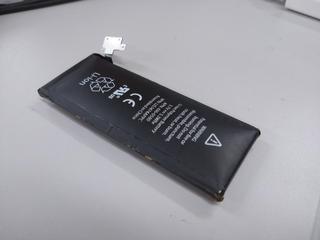
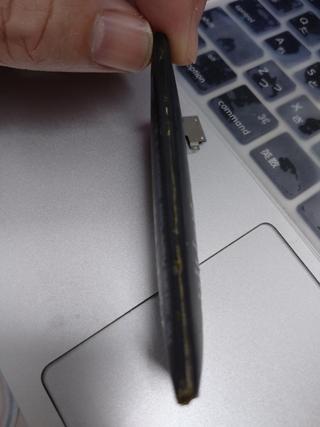
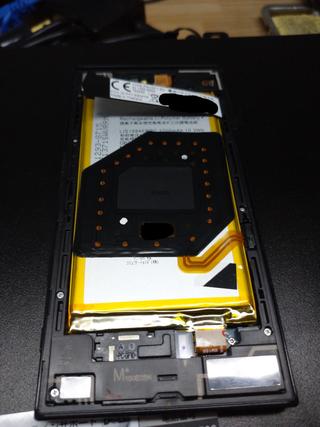
        <![CDATA[<p>リビングにリモコンがてら受電台に放置されていた、iPhone4Sが何やら見た目がおかしいです。<br />電池膨らんでる！<br />取り出してみたらあまりにもパンパンで草</p>
<p><a href="http://mt.yukine.info/torneo/assets_c/2021/08/20210627-iPhone4S-Battery-1492.html" onclick="window.open('http://mt.yukine.info/torneo/assets_c/2021/08/20210627-iPhone4S-Battery-1492.html','popup','width=1280,height=961,scrollbars=yes,resizable=no,toolbar=no,directories=no,location=no,menubar=no,status=no,left=0,top=0'); return false"><img src="http://mt.yukine.info/torneo/assets_c/2021/08/20210627-iPhone4S-Battery-thumb-320xauto-1492.jpg" alt="20210627-iPhone4S-Battery.JPG" class="mt-image-none" width="320" height="240" /></a><br />ここまで、くると逆に、可愛らしい。　キガスル</p>]]>
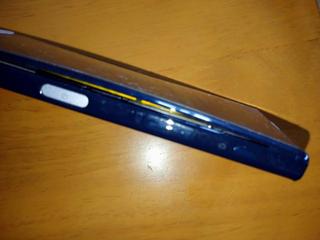
        <![CDATA[<p>他のスマホも眺めていたら1年ほど前まで使っていたXperia X Compact(SO-02J)とiPhoneSEも膨らんでます！液晶浮いて来てるよ！<br />（でも、メニュー画面見ても、バッテリーは良好ですって言われるんですけどね！なんか腑に落ちない気分）</p>
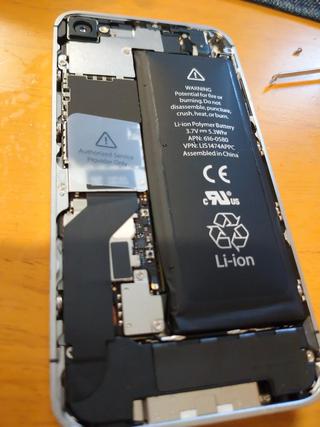
<p>なんか、この際、全部電池交換してしまえと、amazonで安い互換バッテリーパック購入して交換しておきました。</p>
<p>しかし、膨らんだ明らかに不調のバッテリーと、安い中華製と思えるバッテリーどっちが安心なんだろう...（汗</p>
<p><a href="http://mt.yukine.info/torneo/assets_c/2021/08/20210627-iPhone4S-Battery2-1495.html" onclick="window.open('http://mt.yukine.info/torneo/assets_c/2021/08/20210627-iPhone4S-Battery2-1495.html','popup','width=960,height=1281,scrollbars=yes,resizable=no,toolbar=no,directories=no,location=no,menubar=no,status=no,left=0,top=0'); return false"><img src="http://mt.yukine.info/torneo/assets_c/2021/08/20210627-iPhone4S-Battery2-thumb-autox427-1495.jpg" alt="20210627-iPhone4S-Battery2.JPG" class="mt-image-none" width="320" height="427" /></a><a href="http://mt.yukine.info/torneo/assets_c/2021/08/20210627-iPhone4S-Battery3-1496.html" onclick="window.open('http://mt.yukine.info/torneo/assets_c/2021/08/20210627-iPhone4S-Battery3-1496.html','popup','width=960,height=1281,scrollbars=yes,resizable=no,toolbar=no,directories=no,location=no,menubar=no,status=no,left=0,top=0'); return false"><img src="http://mt.yukine.info/torneo/assets_c/2021/08/20210627-iPhone4S-Battery3-thumb-autox427-1496.jpg" alt="20210627-iPhone4S-Battery3.JPG" class="mt-image-none" width="320" height="427" /></a><a href="http://mt.yukine.info/torneo/assets_c/2021/08/20210627-SO02J-Battery-1494.html" onclick="window.open('http://mt.yukine.info/torneo/assets_c/2021/08/20210627-SO02J-Battery-1494.html','popup','width=1280,height=961,scrollbars=yes,resizable=no,toolbar=no,directories=no,location=no,menubar=no,status=no,left=0,top=0'); return false"></a></p>
<p><a href="http://mt.yukine.info/torneo/assets_c/2021/08/20210627-SO02J-Battery-1494.html" onclick="window.open('http://mt.yukine.info/torneo/assets_c/2021/08/20210627-SO02J-Battery-1494.html','popup','width=1280,height=961,scrollbars=yes,resizable=no,toolbar=no,directories=no,location=no,menubar=no,status=no,left=0,top=0'); return false"><img src="http://mt.yukine.info/torneo/assets_c/2021/08/20210627-SO02J-Battery-thumb-320xauto-1494.jpg" alt="20210627-SO02J-Battery.jpg" class="mt-image-none" width="320" height="240" /></a><a href="http://mt.yukine.info/torneo/assets_c/2021/08/20210627-SO02J-Battery2-1493.html" onclick="window.open('http://mt.yukine.info/torneo/assets_c/2021/08/20210627-SO02J-Battery2-1493.html','popup','width=960,height=1281,scrollbars=yes,resizable=no,toolbar=no,directories=no,location=no,menubar=no,status=no,left=0,top=0'); return false"><img src="http://mt.yukine.info/torneo/assets_c/2021/08/20210627-SO02J-Battery2-thumb-autox427-1493.jpg" alt="20210627-SO02J-Battery2.JPG" class="mt-image-none" width="320" height="427" /></a></p>
<p></p>]]>
    </content>
</entry>

<entry>
    <title>IX2005 購入 - 平穏な日々 on MT</title>
    <link rel="alternate" type="text/html" href="http://mt.yukine.info/torneo/2021/08/ix2005.html" />
    <id>tag:mt.yukine.info,2021:/torneo//3.820</id>

    <published>2021-08-13T06:48:41Z</published>
    <updated>2021-08-13T07:05:08Z</updated>

    <summary>今更ながらにIX2005を購入しました。ヤフオクで＠５００円ぐらい。安っ！ 10...</summary>
    <author>
        <name>Hiromichi Iwaoka</name>
        
    </author>
    
        <category term="Computer and Network" scheme="http://www.sixapart.com/ns/types#category" />
    
    
    <content type="html" xml:lang="ja" xml:base="http://mt.yukine.info/torneo/">
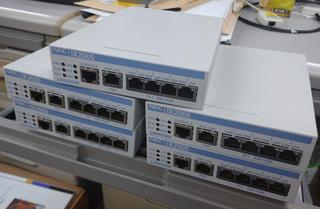
        <![CDATA[<p>今更ながらにIX2005を購入しました。<br />ヤフオクで＠５００円ぐらい。安っ！<br /><br /><a href="http://mt.yukine.info/torneo/assets_c/2021/08/202105-IX2005-1489.html" onclick="window.open('http://mt.yukine.info/torneo/assets_c/2021/08/202105-IX2005-1489.html','popup','width=800,height=524,scrollbars=yes,resizable=no,toolbar=no,directories=no,location=no,menubar=no,status=no,left=0,top=0'); return false"><img src="http://mt.yukine.info/torneo/assets_c/2021/08/202105-IX2005-thumb-320xauto-1489.jpg" alt="202105-IX2005.jpg" class="mt-image-none" width="320" height="209" /></a></p>
<p>100MbpsなのとNetMeisterに対応しない事を除けば、現行機と大差なさそうなのでお勉強用には良さそうです。<br />今春の新人さんのお勉強用にと買ってみましたが。役に立つかな？<br />たくさん有るので、VPN貼ってみたり、QoSやら色々と実験してみたいなと思う今日この頃</p>
<p>一時期、大量に出回って界隈で流行った、IX2015と同時期のモデルですね</p>
<ul>
<li>CPU 　同じ PowerQUIC 266MHz</li>
<li>Flash 　8MB(IX2015)/16MB(IX2005)</li>
<li>RAM　同じ 64MB</li>
<li>ISDN　IX2005は無し</li>
<li>LAN  　3系統(IX2015) /2系統(IX2005)</li>
</ul>
<p>同じCPUですが、RAMはちょっと多いです。<br />ISDN（今更使わんだろ）とLAN三系統が必要なければ、選択肢としては悪く無いと思います。<br /><br />コンパクトで、Firmwareももう少し後のバージョンまで出てるのもポイントが高いです。（Flashの容量が効いて来たのですかね？）<br />IX2015　ver8.3(2008/12)<br />IX2005　ver8.9(2013/1)<br /><br />IX2015と違い、あまりBlogとかに出てませんが、基本同じなので、狙い目かも知れません。</p>]]>
        
    </content>
</entry>

<entry>
    <title>FD2 クラッチ交換 - 平穏な日々 on MT</title>
    <link rel="alternate" type="text/html" href="http://mt.yukine.info/torneo/2021/08/fd2-2.html" />
    <id>tag:mt.yukine.info,2021:/torneo//3.819</id>

    <published>2021-08-13T06:02:11Z</published>
    <updated>2021-08-16T13:24:28Z</updated>

    <summary>年末の車検の際に、そろそろクラッチ変えた方が良いねと言われ不安になり。変えてもら...</summary>
    <author>
        <name>Hiromichi Iwaoka</name>
        
    </author>
    
        <category term="車" scheme="http://www.sixapart.com/ns/types#category" />
    
    
    <content type="html" xml:lang="ja" xml:base="http://mt.yukine.info/torneo/">
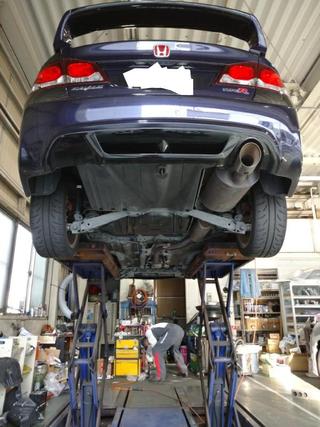
        <![CDATA[<p>年末の車検の際に、そろそろクラッチ変えた方が良いねと言われ不安になり。変えてもらう事にしました。<br />併せて、ヘッドカバーからのオイル漏れの修理と、エンジン・ミッションマウントの交換もお願いしました。<br /><a href="http://mt.yukine.info/torneo/assets_c/2021/08/20210617clutch-1-1471.html" onclick="window.open('http://mt.yukine.info/torneo/assets_c/2021/08/20210617clutch-1-1471.html','popup','width=600,height=801,scrollbars=yes,resizable=no,toolbar=no,directories=no,location=no,menubar=no,status=no,left=0,top=0'); return false"><img src="http://mt.yukine.info/torneo/assets_c/2021/08/20210617clutch-1-thumb-autox427-1471.jpg" alt="20210617clutch-1.JPG" class="mt-image-none" width="320" height="427" /></a></p>
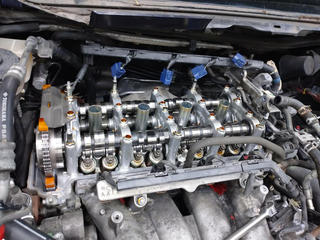
<p>自分の車のヘッドカバー開いてるの初めてみました！ちょっと感動　美しい。。。　VTECですね。</p>
<p><a href="http://mt.yukine.info/torneo/assets_c/2021/08/20210617-vtec-1530.html" onclick="window.open('http://mt.yukine.info/torneo/assets_c/2021/08/20210617-vtec-1530.html','popup','width=1400,height=1051,scrollbars=yes,resizable=no,toolbar=no,directories=no,location=no,menubar=no,status=no,left=0,top=0'); return false"><img src="http://mt.yukine.info/torneo/assets_c/2021/08/20210617-vtec-thumb-320xauto-1530.jpg" alt="20210617-vtec.jpg" class="mt-image-none" width="320" height="240" /></a></p>
<p></p>]]>
        <![CDATA[<p>10年、11万キロ以上乗ってきました。<br />足回りの、ダンパーやアーム類のブッシュ関係は、1年半前、10万キロ程度で交換しました。一緒に頼んでおけばよかったとちょっと後悔。</p>
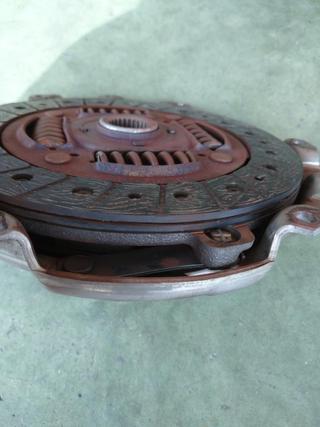
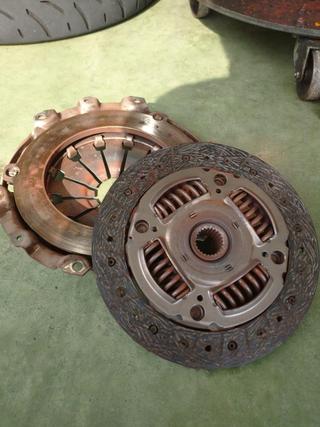
<p>特に滑りなどは感じて居なかった物の、普段は大人しく乗って居ますが、VTEC炸裂させた時の暴力的なパワーを考えると、不思議なもので気になりだすと怖くなって来ます。怖くてエンジン回せないんですよね！　過去の経験で、どうなるか知って居るだけに...　行きつけのディーラーから遠方で、しかも山間部が多い地域に長期間滞在していたので余計です。<br />なので、安心料として予防交換です。いつでも必要とあらばVTEC使いたいですからね。<br /><br />こちらが取り外したクラッチ板、外周部はだいぶ溝が無くなって来てますね。メカニックさん曰く「まだ1万キロぐらいは優に行けるだろ。」との事でした。綺麗に減ってるのかな？（よく解りません）<br /><a href="http://mt.yukine.info/torneo/assets_c/2021/08/20210617clutch-3-1472.html" onclick="javascript:void(&quot;mce-mt-event-placeholer&quot;);return false"><img src="http://mt.yukine.info/torneo/assets_c/2021/08/20210617clutch-3-thumb-autox427-1472.jpg" alt="20210617clutch-3.jpg" class="mt-image-none" width="320" height="427" /></a><a href="http://mt.yukine.info/torneo/assets_c/2021/08/20210617clutch-2-1470.html" onclick="javascript:void(&quot;mce-mt-event-placeholer&quot;);return false"><img src="http://mt.yukine.info/torneo/assets_c/2021/08/20210617clutch-2-thumb-autox427-1470.jpg" alt="20210617clutch-2.jpg" class="mt-image-none" width="320" height="427" /></a></p>
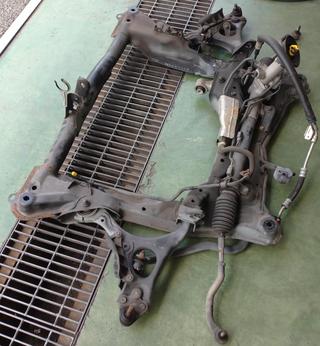
<p>FF車の例に漏れず、クラッチ交換はサブフレームおろさないといけないらしく。ディーラーの整備士さん随分と時間を掛けて治具を作ったりして前準備をしてくれてました。（感謝）</p>
<p>こちらが降ろされたサブフレーム。パワステごと外されてます（笑）<br />これが、例の曰く付きのエギゾーストと干渉するから電動パワステから油圧に変えたと言う噂のまさにその部分ですかね。<br />パワステユニットの一部に遮熱版がついてますから、本当にcm単位でギリギリだったのかも知れませんね。</p>
<p></p>
<p><a href="http://mt.yukine.info/torneo/assets_c/2021/08/20210617-Frame1-1486.html" onclick="window.open('http://mt.yukine.info/torneo/assets_c/2021/08/20210617-Frame1-1486.html','popup','width=1280,height=1386,scrollbars=yes,resizable=no,toolbar=no,directories=no,location=no,menubar=no,status=no,left=0,top=0'); return false"><img src="http://mt.yukine.info/torneo/assets_c/2021/08/20210617-Frame1-thumb-autox346-1486.jpg" alt="20210617-Frame1.JPG" class="mt-image-none" width="320" height="346" /></a><a href="http://mt.yukine.info/torneo/assets_c/2021/08/20210617-ex-1469.html" onclick="window.open('http://mt.yukine.info/torneo/assets_c/2021/08/20210617-ex-1469.html','popup','width=1135,height=1601,scrollbars=yes,resizable=no,toolbar=no,directories=no,location=no,menubar=no,status=no,left=0,top=0'); return false"></a></p>
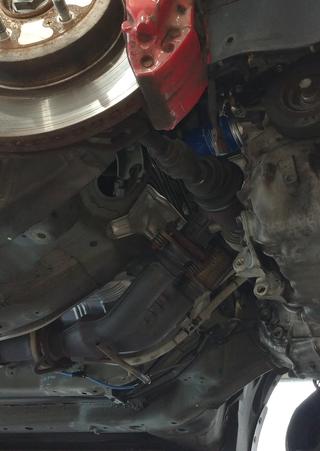
<p>車体側はこんな感じでした。サブフレーム無しで見上げる事は少ないので、これもちょっと新鮮です。<br />パワステを油圧に変更してまで取り付けた4−2−1エキマニが見えます。そう思うと感慨深いです。</p>
<p><a href="http://mt.yukine.info/torneo/assets_c/2021/08/20210617-ex-1469.html" onclick="window.open('http://mt.yukine.info/torneo/assets_c/2021/08/20210617-ex-1469.html','popup','width=1135,height=1601,scrollbars=yes,resizable=no,toolbar=no,directories=no,location=no,menubar=no,status=no,left=0,top=0'); return false"><img src="http://mt.yukine.info/torneo/assets_c/2021/08/20210617-ex-thumb-autox451-1469.jpg" alt="20210617-ex.JPG" class="mt-image-none" width="320" height="451" /></a></p>]]>
    </content>
</entry>

<entry>
    <title>モバイルモニタ購入 - 平穏な日々 on MT</title>
    <link rel="alternate" type="text/html" href="http://mt.yukine.info/torneo/2021/06/post-271.html" />
    <id>tag:mt.yukine.info,2021:/torneo//3.818</id>

    <published>2021-06-27T10:51:24Z</published>
    <updated>2021-06-27T13:16:47Z</updated>

    <summary>15.6インチのモバイルモニタを購入しました。 8インチのFHDモニタ持ってたの...</summary>
    <author>
        <name>Hiromichi Iwaoka</name>
        
    </author>
    
        <category term="Computer and Network" scheme="http://www.sixapart.com/ns/types#category" />
    
    
    <content type="html" xml:lang="ja" xml:base="http://mt.yukine.info/torneo/">
        <![CDATA[<p>15.6インチのモバイルモニタを購入しました。</p>
<p>8インチのFHDモニタ持ってたのですが、小さすぎて意外と実用性無いんですよね。結局２・３回しか使ったことないんです。<br />出張先で使うには、実用性が無く、自宅で使うときはメインモニタの入力を切り替えながら使った方が作業が楽で...<br />このサイズなら、サブモニタ等にも実用的に使えるかなと思っての購入</p>
<p><a href="http://mt.yukine.info/torneo/assets_c/2021/06/20210627-WIMAXIT-photo-1-1427.html" onclick="window.open('http://mt.yukine.info/torneo/assets_c/2021/06/20210627-WIMAXIT-photo-1-1427.html','popup','width=960,height=1281,scrollbars=yes,resizable=no,toolbar=no,directories=no,location=no,menubar=no,status=no,left=0,top=0'); return false"><img src="http://mt.yukine.info/torneo/assets_c/2021/06/20210627-WIMAXIT-photo-1-thumb-autox427-1427.jpg" alt="20210627-WIMAXIT-photo-1.jpg" class="mt-image-none" width="320" height="427" /></a></p>]]>
        <![CDATA[<p>仕事で、15.6インチのノートパソコンのセットアップをしていて、結構見やすいなと感じたこと。<br />どうせ、サブモニタ的に使うなら17.3インチにしようかと思ったのですが。<br />店頭で、17.3インチのノートパソコンと画面のサイズを見比べても、極端に大きく感じなかった為、15.6インチに決めました。<br /><br />FullHD解像度は必須として、最近の仮想マシンなど多用すると、FHDでも足りない時が有るので、4K解像度狙ってみました。<br />WIMAXITと言うメーカーのM1560C4KVと言う物でamazonで19000円<br />標準HDMI搭載と言うのはポイント高いのです。<br />（何故かモバイルモニタは、何故かMiniHDMIが多く、ケーブルの持ち歩きや、忘れた際の現地調達に苦労する事になりそうです。）</p>
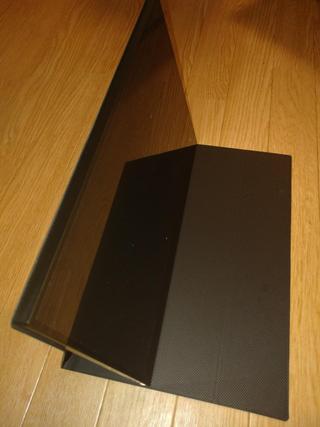
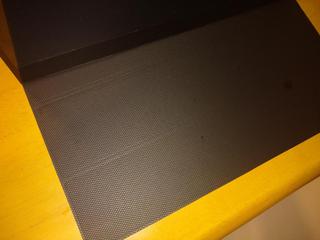
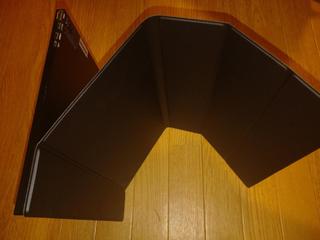
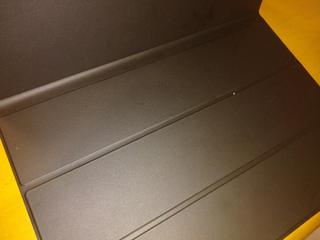
<p>異様に安くて不安だったのですが、一応使えてます。<br />フルサイズHDMI端子＋4k解像度でこの値段なら有りでは？と思ってます。<br /><br />ただ、気になったのは付属してきたカバー、化粧飾りが内側に来る。しかも、本来モニターを引っ掛けるはずの溝が、外側に来ちゃう。これ表裏逆じゃないですかね？<br />ひっくり返しても取付出来そうなのですが、本体への固定に磁石が使われているようで、本体側と反発するので固定できないんです。ざらざら面が良い感じでモニターが安定してくれるので、無段階に調整出来ると思えばこれはこれで有りなのですかね？</p>
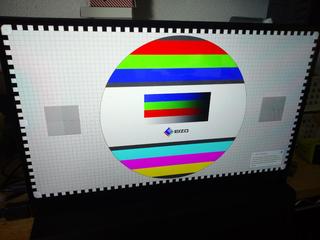
<p><a href="http://mt.yukine.info/torneo/assets_c/2021/06/20210627-WIMAXIT-photo-3-1430.html" onclick="window.open('http://mt.yukine.info/torneo/assets_c/2021/06/20210627-WIMAXIT-photo-3-1430.html','popup','width=1280,height=961,scrollbars=yes,resizable=no,toolbar=no,directories=no,location=no,menubar=no,status=no,left=0,top=0'); return false"><img src="http://mt.yukine.info/torneo/assets_c/2021/06/20210627-WIMAXIT-photo-3-thumb-320xauto-1430.jpg" alt="20210627-WIMAXIT-photo-3.jpg" class="mt-image-none" width="320" height="240" /></a><a href="http://mt.yukine.info/torneo/assets_c/2021/06/20210627-WIMAXIT-photo-2-1432.html" onclick="window.open('http://mt.yukine.info/torneo/assets_c/2021/06/20210627-WIMAXIT-photo-2-1432.html','popup','width=1280,height=961,scrollbars=yes,resizable=no,toolbar=no,directories=no,location=no,menubar=no,status=no,left=0,top=0'); return false"><img src="http://mt.yukine.info/torneo/assets_c/2021/06/20210627-WIMAXIT-photo-2-thumb-320xauto-1432.jpg" alt="20210627-WIMAXIT-photo-2.jpg" class="mt-image-none" width="320" height="240" /></a><a href="http://mt.yukine.info/torneo/assets_c/2021/06/20210627-WIMAXIT-photo-5-1431.html" onclick="window.open('http://mt.yukine.info/torneo/assets_c/2021/06/20210627-WIMAXIT-photo-5-1431.html','popup','width=1280,height=961,scrollbars=yes,resizable=no,toolbar=no,directories=no,location=no,menubar=no,status=no,left=0,top=0'); return false"><img src="http://mt.yukine.info/torneo/assets_c/2021/06/20210627-WIMAXIT-photo-5-thumb-320xauto-1431.jpg" alt="20210627-WIMAXIT-photo-5.jpg" class="mt-image-none" width="320" height="240" /></a><br /><br />さて、amazonのレビューを見ると、「明らかに表示が汚い」「4kの解像度は無い！」と記載が有ったので、正直不安でした。<br />さて、どうやって解像度を確認しようか？と悩んでいると便利なサイトが有りました。<br />https://www.eizo.be/monitor-test/<br />EIZOさんのサイトで、テストパターンを表示してくれます。</p>
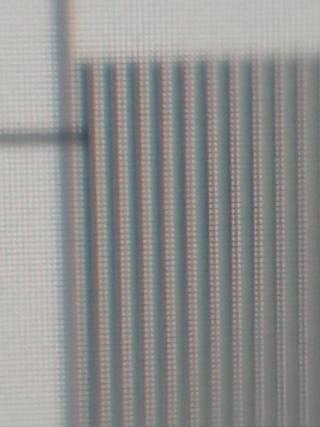
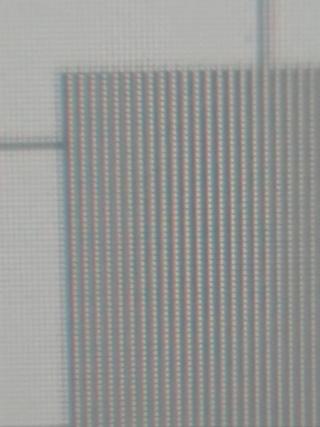
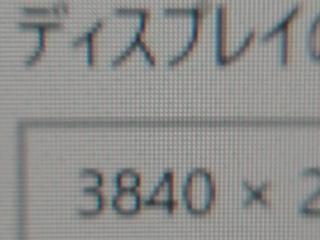
<p><a href="http://mt.yukine.info/torneo/assets_c/2021/06/20210627-WIMAXIT-1-1439.html" onclick="window.open('http://mt.yukine.info/torneo/assets_c/2021/06/20210627-WIMAXIT-1-1439.html','popup','width=1280,height=961,scrollbars=yes,resizable=no,toolbar=no,directories=no,location=no,menubar=no,status=no,left=0,top=0'); return false"><img src="http://mt.yukine.info/torneo/assets_c/2021/06/20210627-WIMAXIT-1-thumb-320xauto-1439.jpg" alt="20210627-WIMAXIT-1.jpg" class="mt-image-none" width="320" height="240" /></a><br /><br />早速試してみると、一応4kの解像度は出ているようです。ただ...　周辺画素への滲みが有るように見えますが、これはドライバ関係の性能なのでしょうか？　良く解りません。</p>
<p><a href="http://mt.yukine.info/torneo/assets_c/2021/06/20210627-WIMAXIT-3-1445.html" onclick="javascript:void(&quot;mce-mt-event-placeholer&quot;);return false"><img src="http://mt.yukine.info/torneo/assets_c/2021/06/20210627-WIMAXIT-3-thumb-autox427-1445.jpg" alt="20210627-WIMAXIT-3.jpg" class="mt-image-none" width="320" height="427" /></a><a href="http://mt.yukine.info/torneo/assets_c/2021/06/20210627-WIMAXIT-4-1444.html" onclick="window.open('http://mt.yukine.info/torneo/assets_c/2021/06/20210627-WIMAXIT-4-1444.html','popup','width=960,height=1281,scrollbars=yes,resizable=no,toolbar=no,directories=no,location=no,menubar=no,status=no,left=0,top=0'); return false"><img src="http://mt.yukine.info/torneo/assets_c/2021/06/20210627-WIMAXIT-4-thumb-autox427-1444.jpg" alt="20210627-WIMAXIT-4.jpg" class="mt-image-none" width="320" height="427" /></a><a href="http://mt.yukine.info/torneo/assets_c/2021/06/1bee5f0059fdf4f77c4787557e21f2b8414bf6bb-1451.html" onclick="window.open('http://mt.yukine.info/torneo/assets_c/2021/06/1bee5f0059fdf4f77c4787557e21f2b8414bf6bb-1451.html','popup','width=1280,height=961,scrollbars=yes,resizable=no,toolbar=no,directories=no,location=no,menubar=no,status=no,left=0,top=0'); return false"><br /></a><a href="http://mt.yukine.info/torneo/assets_c/2021/06/20210627-WIMAXIT-2-1464.html" onclick="window.open('http://mt.yukine.info/torneo/assets_c/2021/06/20210627-WIMAXIT-2-1464.html','popup','width=1280,height=961,scrollbars=yes,resizable=no,toolbar=no,directories=no,location=no,menubar=no,status=no,left=0,top=0'); return false"><img src="http://mt.yukine.info/torneo/assets_c/2021/06/20210627-WIMAXIT-2-thumb-320xauto-1464.jpg" alt="20210627-WIMAXIT-2.jpg" class="mt-image-none" width="320" height="240" /></a><a href="http://mt.yukine.info/torneo/assets_c/2021/06/20210627-WIMAXIT-5-1463.html" onclick="window.open('http://mt.yukine.info/torneo/assets_c/2021/06/20210627-WIMAXIT-5-1463.html','popup','width=1280,height=961,scrollbars=yes,resizable=no,toolbar=no,directories=no,location=no,menubar=no,status=no,left=0,top=0'); return false"><img src="http://mt.yukine.info/torneo/assets_c/2021/06/20210627-WIMAXIT-5-thumb-320xauto-1463.jpg" alt="20210627-WIMAXIT-5.jpg" class="mt-image-none" width="320" height="240" /></a></p>
<p><br />↓メインで使って居る飯山の28インチ4kモニタでの表示</p>
<p><a href="http://mt.yukine.info/torneo/assets_c/2021/06/20210627-4k-iiyama-1457.html" onclick="window.open('http://mt.yukine.info/torneo/assets_c/2021/06/20210627-4k-iiyama-1457.html','popup','width=960,height=1281,scrollbars=yes,resizable=no,toolbar=no,directories=no,location=no,menubar=no,status=no,left=0,top=0'); return false"><img src="http://mt.yukine.info/torneo/assets_c/2021/06/20210627-4k-iiyama-thumb-autox427-1457.jpg" alt="20210627-4k-iiyama.jpg" class="mt-image-none" width="320" height="427" /></a><br /><br />付属品などはケーブルなども一式付属しており、追加購入なども必要なく満足です。<br />Type-Cでの接続も出来るので、手持ちのMacbookでしたらケーブル一本で接続できたのでとても便利でした。</p>
<p><a href="http://mt.yukine.info/torneo/assets_c/2021/06/20210627-WIMAXIT-photo-4-1460.html" onclick="window.open('http://mt.yukine.info/torneo/assets_c/2021/06/20210627-WIMAXIT-photo-4-1460.html','popup','width=960,height=1281,scrollbars=yes,resizable=no,toolbar=no,directories=no,location=no,menubar=no,status=no,left=0,top=0'); return false"><img src="http://mt.yukine.info/torneo/assets_c/2021/06/20210627-WIMAXIT-photo-4-thumb-autox427-1460.jpg" alt="20210627-WIMAXIT-photo-4.jpg" class="mt-image-none" width="320" height="427" /></a></p>]]>
    </content>
</entry>

<entry>
    <title>NEC VM-9(VKT42)のメモリ増設 - 平穏な日々 on MT</title>
    <link rel="alternate" type="text/html" href="http://mt.yukine.info/torneo/2021/06/nec-vm-9vkt42.html" />
    <id>tag:mt.yukine.info,2021:/torneo//3.817</id>

    <published>2021-06-27T10:25:33Z</published>
    <updated>2021-06-27T10:42:46Z</updated>

    <summary>職場でNEC Versapro VM-9が同僚に支給されました。職務遂行のために...</summary>
    <author>
        <name>Hiromichi Iwaoka</name>
        
    </author>
    
        <category term="Computer and Network" scheme="http://www.sixapart.com/ns/types#category" />
    
    
    <content type="html" xml:lang="ja" xml:base="http://mt.yukine.info/torneo/">
        <![CDATA[<p>職場でNEC Versapro VM-9が同僚に支給されました。<br />職務遂行のためにメモリ・ストレージ増設による魔改造を思いついたのですが。<br />メーカーは「ユーザーによる増設/変更不可・最大モデルでもRAM 16GB」と言う状況</p>
<p>32GBメモリの搭載に成功したので記録を残します。</p>
<p><a href="http://mt.yukine.info/torneo/assets_c/2021/06/20210602-VKT42-PCB-1400.html" onclick="window.open('http://mt.yukine.info/torneo/assets_c/2021/06/20210602-VKT42-PCB-1400.html','popup','width=1169,height=812,scrollbars=yes,resizable=no,toolbar=no,directories=no,location=no,menubar=no,status=no,left=0,top=0'); return false"><img src="http://mt.yukine.info/torneo/assets_c/2021/06/20210602-VKT42-PCB-thumb-320xauto-1400.jpg" alt="20210602-VKT42-PCB.JPG" class="mt-image-none" width="320" height="222" /></a></p>]]>
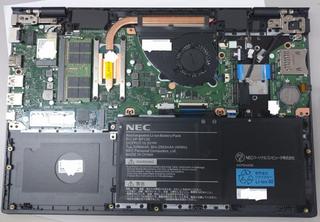
        <![CDATA[<p>中身は、こんな感じ。<br />写真左下にSATA HDDの増設スペースが有りますが、専用の特殊な接続ケーブルが必要な様子で、接続にはチャレンジ出来ませんでした。<br />BIOS画面などでもSATAポートは生きているようで、ケーブルの入手が出来れば、増設は可能に思えます。<br />また、大容量バッテリーモデルが用意されているそうで、その場合　このスペースにまでバッテリーが入る為、取付不可との噂。</p>
<p>SSDはM.2のNVMe接続で、今回2TBに換装しました。</p>
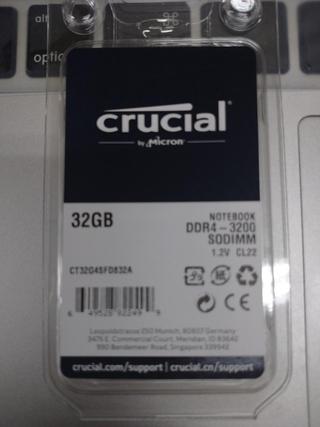
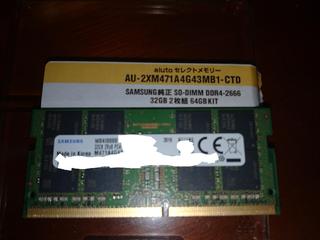
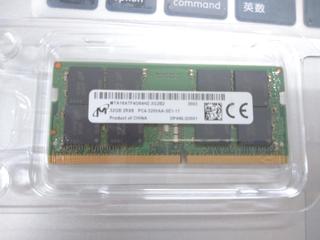
<p>メモリはDDR4のSO-DIMMが1本で、標準搭載は8GBでしたが、今回 32GBのメモリに換装しました。<br />2種類のメモリーの認識を確認しました。<br />アユート(SAMSUNG)のDDR4-2666 32GBメモリとCrucial(Micron)のDDR4-3200 32GBメモリです。<br /><a href="http://mt.yukine.info/torneo/assets_c/2021/06/20210602-VKT42-MEM2-1420.html" onclick="window.open('http://mt.yukine.info/torneo/assets_c/2021/06/20210602-VKT42-MEM2-1420.html','popup','width=960,height=1281,scrollbars=yes,resizable=no,toolbar=no,directories=no,location=no,menubar=no,status=no,left=0,top=0'); return false"><img src="http://mt.yukine.info/torneo/assets_c/2021/06/20210602-VKT42-MEM2-thumb-autox427-1420.jpg" alt="20210602-VKT42-MEM2.jpg" class="mt-image-none" width="320" height="427" /></a><a href="http://mt.yukine.info/torneo/assets_c/2021/06/20210602-VKT42-MEM1-1418.html" onclick="window.open('http://mt.yukine.info/torneo/assets_c/2021/06/20210602-VKT42-MEM1-1418.html','popup','width=1280,height=961,scrollbars=yes,resizable=no,toolbar=no,directories=no,location=no,menubar=no,status=no,left=0,top=0'); return false"><img src="http://mt.yukine.info/torneo/assets_c/2021/06/20210602-VKT42-MEM1-thumb-320xauto-1418.jpg" alt="20210602-VKT42-MEM1.JPG" class="mt-image-none" width="320" height="240" /></a><a href="http://mt.yukine.info/torneo/assets_c/2021/06/20210602-VKT42-MEM3-1419.html" onclick="window.open('http://mt.yukine.info/torneo/assets_c/2021/06/20210602-VKT42-MEM3-1419.html','popup','width=1280,height=961,scrollbars=yes,resizable=no,toolbar=no,directories=no,location=no,menubar=no,status=no,left=0,top=0'); return false"><img src="http://mt.yukine.info/torneo/assets_c/2021/06/20210602-VKT42-MEM3-thumb-320xauto-1419.jpg" alt="20210602-VKT42-MEM3.jpg" class="mt-image-none" width="320" height="240" /></a></p>
<p></p>
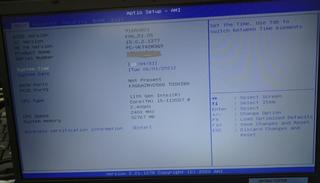
<p><a href="http://mt.yukine.info/torneo/assets_c/2021/06/20210602-VKT42-BIOS-1413.html" onclick="window.open('http://mt.yukine.info/torneo/assets_c/2021/06/20210602-VKT42-BIOS-1413.html','popup','width=1227,height=703,scrollbars=yes,resizable=no,toolbar=no,directories=no,location=no,menubar=no,status=no,left=0,top=0'); return false"><img src="http://mt.yukine.info/torneo/assets_c/2021/06/20210602-VKT42-BIOS-thumb-320xauto-1413.jpg" alt="20210602-VKT42-BIOS.JPG" class="mt-image-none" width="320" height="183" /></a><a href="http://mt.yukine.info/torneo/assets_c/2021/06/20210602-VKT42-OS-1412.html" onclick="window.open('http://mt.yukine.info/torneo/assets_c/2021/06/20210602-VKT42-OS-1412.html','popup','width=937,height=805,scrollbars=yes,resizable=no,toolbar=no,directories=no,location=no,menubar=no,status=no,left=0,top=0'); return false"><img src="http://mt.yukine.info/torneo/assets_c/2021/06/20210602-VKT42-OS-thumb-320xauto-1412.jpg" alt="20210602-VKT42-OS.JPG" class="mt-image-none" width="320" height="275" /></a></p>
<p>BIOS/OSでもちゃんと認識してくれました！</p>]]>
    </content>
</entry>

<entry>
    <title>1000円のHDMIキャプチャカード - 平穏な日々 on MT</title>
    <link rel="alternate" type="text/html" href="http://mt.yukine.info/torneo/2020/08/1000hdmi.html" />
    <id>tag:mt.yukine.info,2020:/torneo//3.816</id>

    <published>2020-08-26T15:19:12Z</published>
    <updated>2020-08-26T15:26:23Z</updated>

    <summary>AliExpressで見ていると、千円弱でHDMIキャプチャのドングルが売られて...</summary>
    <author>
        <name>Hiromichi Iwaoka</name>
        
    </author>
    
        <category term="Computer and Network" scheme="http://www.sixapart.com/ns/types#category" />
    
        <category term="Electronics" scheme="http://www.sixapart.com/ns/types#category" />
    
    
    <content type="html" xml:lang="ja" xml:base="http://mt.yukine.info/torneo/">
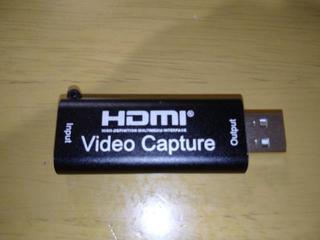
        <![CDATA[<p>AliExpressで見ていると、千円弱でHDMIキャプチャのドングルが売られて居ました。<br />この手のもの怪しそうですが、面白そうなのでつい買ってしまいました。<br />（ちょっと、他のプロジェクトに使ってみたかったと言うのは有ります）<br />本当にキャプチャできるなら一つ持ってても損はないですし。</p>
<p><a href="http://mt.yukine.info/torneo/assets_c/2020/08/20200817HDMI-CAPTURE1-1393.html" onclick="window.open('http://mt.yukine.info/torneo/assets_c/2020/08/20200817HDMI-CAPTURE1-1393.html','popup','width=800,height=601,scrollbars=yes,resizable=no,toolbar=no,directories=no,location=no,menubar=no,status=no,left=0,top=0'); return false"><img src="http://mt.yukine.info/torneo/assets_c/2020/08/20200817HDMI-CAPTURE1-thumb-320xauto-1393.jpg" alt="20200817HDMI-CAPTURE1.jpg" class="mt-image-none" width="320" height="240" /></a></p>
<p>うん、チープ？　しかし、まぁ一応動きました。Windows上からはUVC(USB接続のビデオカメラ）として見れます。Macでも動きました。<br />ただですね、オーディオのキャプチャがうまくいかず。今後の課題ですね。<br />あと時々かくついたりします。おそらく動画圧縮は実質PC側でやってるからと言うことですかね。</p>
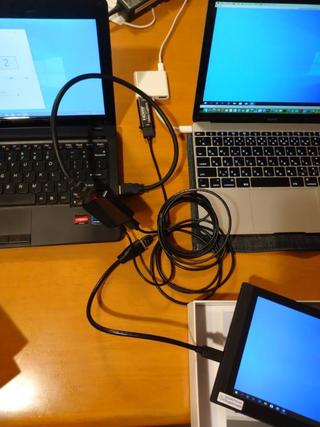
<p><a href="http://mt.yukine.info/torneo/assets_c/2020/08/20200817HDMI-CAPTURE2-1397.html" onclick="window.open('http://mt.yukine.info/torneo/assets_c/2020/08/20200817HDMI-CAPTURE2-1397.html','popup','width=600,height=801,scrollbars=yes,resizable=no,toolbar=no,directories=no,location=no,menubar=no,status=no,left=0,top=0'); return false"><img src="http://mt.yukine.info/torneo/assets_c/2020/08/20200817HDMI-CAPTURE2-thumb-autox427-1397.jpg" alt="20200817HDMI-CAPTURE2.jpg" class="mt-image-none" width="320" height="427" /></a></p>
<p>早速、一つハマってしまいました、Fire TV Stickを挿してみたらそれなりに動いて居たのですが、WindowsPCのHDMI出力をキャプチャしようとすると出来ない。<br />全く、モニターとして認識してくれません。<br />どうも、WindowsPCの場合、HDMIのEDIDを見て初めてHDMIから映像出力するみたいですね。（そっちの方が本来正しいのでしょうか？）<br />そんなわけで、写真の様に間に分配器を入れて、モニターに接続した状態であればちゃんとキャプチャできました！</p>
<p>うーん、EDIDの送信機ぐらいキャプチャドングルに入れておいてほしいなと思った次第...<br />もう少し色々突き回してみます。</p>]]>
        
    </content>
</entry>

<entry>
    <title>MicroATX アクリスケース - 平穏な日々 on MT</title>
    <link rel="alternate" type="text/html" href="http://mt.yukine.info/torneo/2020/08/microatx.html" />
    <id>tag:mt.yukine.info,2020:/torneo//3.815</id>

    <published>2020-08-26T15:10:10Z</published>
    <updated>2020-08-26T15:17:24Z</updated>

    <summary>コロナで在宅勤務が騒ぎ出された頃にメインPCを組み換えました。CPU/MB/Me...</summary>
    <author>
        <name>Hiromichi Iwaoka</name>
        
    </author>
    
        <category term="Computer and Network" scheme="http://www.sixapart.com/ns/types#category" />
    
        <category term="Electronics" scheme="http://www.sixapart.com/ns/types#category" />
    
    
    <content type="html" xml:lang="ja" xml:base="http://mt.yukine.info/torneo/">
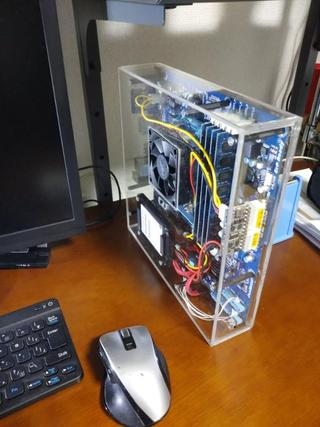
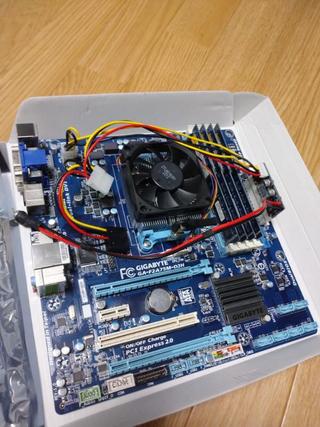
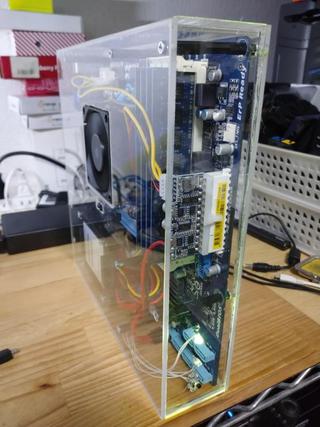
        <![CDATA[<p>コロナで在宅勤務が騒ぎ出された頃にメインPCを組み換えました。<br />CPU/MB/Memを交換したので、ほぼ一式余りました。4Core　32GBメモリでまだまだ使い道は有りそうなので、使える様にしておこうと思い立ちました。<br /><br />別件で、手に入れてた超小型のATX用のDC-DCコンバーター、何と250Wまで対応できるらしいです。これを使えばコンパクトなケースに入りそうです。<br />できる限り、コンパクトなケースが欲しかったのですが、売ってないんですよね。<br />そんなわけで作ることにしました。<br /><br /><a href="http://mt.yukine.info/torneo/assets_c/2020/08/20200511STEP3-1357.html" onclick="javascript:void(&quot;mce-mt-event-placeholer&quot;);return false"><img src="http://mt.yukine.info/torneo/assets_c/2020/08/20200511STEP3-thumb-autox427-1357.jpg" alt="20200511STEP3.jpg" class="mt-image-none" width="320" height="427" /></a></p>]]>
        <![CDATA[<p>こちらが余ったマザーボード</p>
<p><a href="http://mt.yukine.info/torneo/assets_c/2020/08/a7716852bbe21b4094f898877e0000592a8a577f-1360.html" onclick="window.open('http://mt.yukine.info/torneo/assets_c/2020/08/a7716852bbe21b4094f898877e0000592a8a577f-1360.html','popup','width=600,height=801,scrollbars=yes,resizable=no,toolbar=no,directories=no,location=no,menubar=no,status=no,left=0,top=0'); return false"><img src="http://mt.yukine.info/torneo/assets_c/2020/08/a7716852bbe21b4094f898877e0000592a8a577f-thumb-autox427-1360.jpg" alt="20200511MB.jpg" class="mt-image-none" width="320" height="427" /></a></p>
<p>ビデオカードはCPU内蔵が使えますので、ビデオカード不要、ATXコネクタ直結のDC-DC電源を使って、HDD/SSDはどこか隙間にでも載せておけば良いかな？<br />やはり邪魔にならない様に極力コンパクトにしたい、なけりゃ作るしかない！？実質マザーボードサイズギリギリまでコンパクトに作る方向で決定。</p>
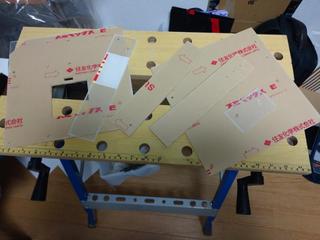
<p><a href="http://mt.yukine.info/torneo/assets_c/2020/08/20200511CUT-1365.html" onclick="window.open('http://mt.yukine.info/torneo/assets_c/2020/08/20200511CUT-1365.html','popup','width=800,height=601,scrollbars=yes,resizable=no,toolbar=no,directories=no,location=no,menubar=no,status=no,left=0,top=0'); return false"><img src="http://mt.yukine.info/torneo/assets_c/2020/08/20200511CUT-thumb-320xauto-1365.jpg" alt="20200511CUT.jpg" class="mt-image-none" width="320" height="240" /></a><br />アクリル板をカット　320x545x3mmのもの１枚じゃちょっと足りなかった...　orz（真ん中左の細長いパーツのみ手持ちの3mmアクリル板から用意することに）</p>
<p><a href="http://mt.yukine.info/torneo/assets_c/2020/08/20200511STEP1-1371.html" onclick="javascript:void(&quot;mce-mt-event-placeholer&quot;);return false"><img src="http://mt.yukine.info/torneo/assets_c/2020/08/20200511STEP1-thumb-autox427-1371.jpg" alt="20200511STEP1.jpg" class="mt-image-none" width="320" height="427" /></a><a href="http://mt.yukine.info/torneo/assets_c/2020/08/20200511STEP2-1372.html" onclick="window.open('http://mt.yukine.info/torneo/assets_c/2020/08/20200511STEP2-1372.html','popup','width=600,height=801,scrollbars=yes,resizable=no,toolbar=no,directories=no,location=no,menubar=no,status=no,left=0,top=0'); return false"><img src="http://mt.yukine.info/torneo/assets_c/2020/08/20200511STEP2-thumb-autox427-1372.jpg" alt="20200511STEP2.jpg" class="mt-image-none" width="320" height="427" /></a><a href="http://mt.yukine.info/torneo/assets_c/2020/08/20200511STEP4-1370.html" onclick="window.open('http://mt.yukine.info/torneo/assets_c/2020/08/20200511STEP4-1370.html','popup','width=600,height=801,scrollbars=yes,resizable=no,toolbar=no,directories=no,location=no,menubar=no,status=no,left=0,top=0'); return false"><img src="http://mt.yukine.info/torneo/assets_c/2020/08/20200511STEP4-thumb-autox427-1370.jpg" alt="20200511STEP4.jpg" class="mt-image-none" width="320" height="427" /></a><a href="http://mt.yukine.info/torneo/assets_c/2020/08/20200511STEP2-1372.html" onclick="javascript:void(&quot;mce-mt-event-placeholer&quot;);return false"></a><a href="http://mt.yukine.info/torneo/assets_c/2020/08/20200511STEP1-1371.html" onclick="javascript:void(&quot;mce-mt-event-placeholer&quot;);return false"></a></p>
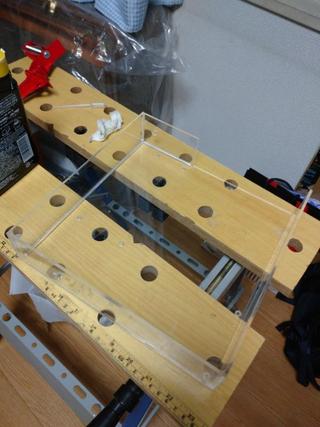
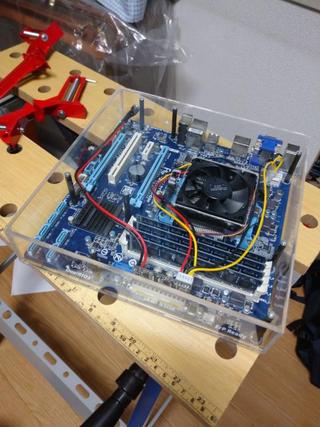
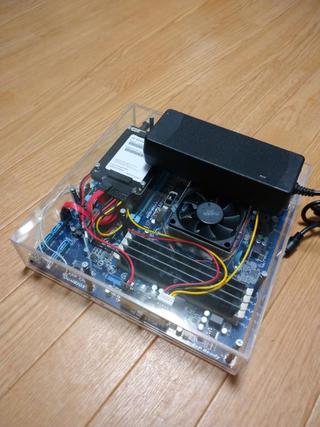
<p>アクリルケースを組み立てて<br />マザーボードを組み込みました。スペーサーでうまく高さを合わせて延長して、蓋をします。<br />ふたに穴を開けてSSDも固定しました。電源SWやLEDをつけて完成です！</p>
<p><a href="http://mt.yukine.info/torneo/assets_c/2020/08/20200511AC-1387.html" onclick="window.open('http://mt.yukine.info/torneo/assets_c/2020/08/20200511AC-1387.html','popup','width=600,height=801,scrollbars=yes,resizable=no,toolbar=no,directories=no,location=no,menubar=no,status=no,left=0,top=0'); return false"><img src="http://mt.yukine.info/torneo/assets_c/2020/08/20200511AC-thumb-autox427-1387.jpg" alt="20200511AC.jpg" class="mt-image-none" width="320" height="427" /></a></p>
<p>実は、今回使ったDC-DCコンバーターは12Vの入力電圧が必要です。（どうも12V系統はそのままスルーして5Vや3.3Vを作り出してる？）<br />CPUがTDP65Wだったので、当然かもしれませんが...　10A程度の電流が流れると言うオチに...　最初に用意して居たACアダプタは一つ壊れてしまいました。（100W級だったのですが...）<br />急遽120W級のACアダプタを買い直す羽目に・・・（それでもギリギリ、と言うか危ないですね）　しかも、巨大</p>
<p><a href="http://mt.yukine.info/torneo/assets_c/2020/08/20200726LED2-1373.html" onclick="window.open('http://mt.yukine.info/torneo/assets_c/2020/08/20200726LED2-1373.html','popup','width=600,height=801,scrollbars=yes,resizable=no,toolbar=no,directories=no,location=no,menubar=no,status=no,left=0,top=0'); return false"><img src="http://mt.yukine.info/torneo/assets_c/2020/08/20200726LED2-thumb-autox427-1373.jpg" alt="20200726LED2.jpg" class="mt-image-none" width="320" height="427" /></a></p>
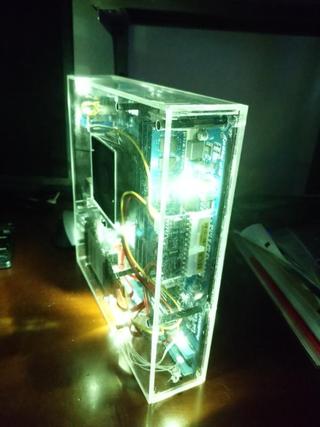
<p>ひとまず完成したのですが、思ったよりコンパクトにならないですね。あまりケース売ってないわけですね。<br />でも、実用性はともかく、初めての透明アクリルケース、綺麗で良い感じです。<br />前面のHDDと電源のLEDだけでは、地味だったので適当にLEDを増設して接続してみました。<br />うん、ちょっと厨二病っぽいけど、綺麗で良いんじゃね？？？</p>]]>
    </content>
</entry>

<entry>
    <title>digisparkでマウスピクピク  - 平穏な日々 on MT</title>
    <link rel="alternate" type="text/html" href="http://mt.yukine.info/torneo/2020/02/digispark.html" />
    <id>tag:mt.yukine.info,2020:/torneo//3.814</id>

    <published>2020-02-15T15:52:10Z</published>
    <updated>2020-02-15T16:25:17Z</updated>

    <summary>スクリーンセーバーがポリシーなどで強制される今日この頃&#8230; ハード的な...</summary>
    <author>
        <name>Hiromichi Iwaoka</name>
        
    </author>
    
        <category term="Computer and Network" scheme="http://www.sixapart.com/ns/types#category" />
    
        <category term="Electronics" scheme="http://www.sixapart.com/ns/types#category" />
    
    
    <content type="html" xml:lang="ja" xml:base="http://mt.yukine.info/torneo/">
        <![CDATA[<p>スクリーンセーバーがポリシーなどで強制される今日この頃&#8230;
ハード的なキャンセラーとして下記のような記事が。
（ほしくなる事情としては私もほぼ同じです）</p>

<p><a href="https://qiita.com/old-stone/items/4d2d3a714a5fbe3d6087" title="【Arduino】一定時間毎にピクピク動いて、PCの画面ロックを防ぐ">【Arduino】一定時間毎にピクピク動いて、PCの画面ロックを防ぐ</a></p>

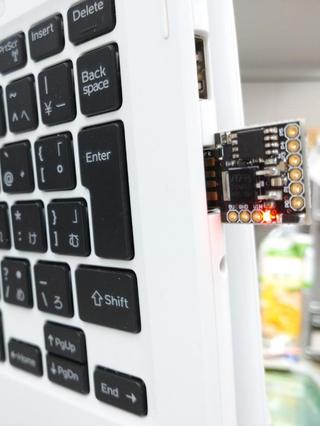
<p>Leonardは手持ちが無くて、手元にあるdigisparkで作ってみることにしました。（安いしね）</p>

<p><a href="http://mt.yukine.info/torneo/assets_c/2020/02/20200214Digispark-1354.html" onclick="window.open('http://mt.yukine.info/torneo/assets_c/2020/02/20200214Digispark-1354.html','popup','width=768,height=1024,scrollbars=yes,resizable=no,toolbar=no,directories=no,location=no,menubar=no,status=no,left=0,top=0'); return false"><img src="http://mt.yukine.info/torneo/assets_c/2020/02/20200214Digispark-thumb-autox426-1354.jpg" width="320" height="426" alt="20200214Digispark.jpg" class="mt-image-none" style="" /></a></p>
]]>
        <![CDATA[<p>そのまま動くかなと思ったけど、そこまで甘くはなかった。
と言うわけで、digispark用に編集したコードを置いておきます。</p>

<pre><code>
#include <DigiMouse.h>
#define LEDPIN 1

/** 移動させるピクセル */
const int MOVING_PIXEL = 1;
/** 待機時間(ms) */
const long WAITING_TIME = 299000; // 4分59秒

/**
 * 起動時処理
 */
void setup() {

  pinMode(LEDPIN, OUTPUT);
  DigiMouse.begin();

}

/**
 * 常駐処理
 */
void loop() {

  // マウスを移動
  DigiMouse.moveX(MOVING_PIXEL);
  DigiMouse.delay(10);
  DigiMouse.moveX(-MOVING_PIXEL);

  // 必要に応じてLEDで通知
  notify(100);

  // 待機
  DigiMouse.delay(WAITING_TIME);

}

/**
 * 本体LEDで通知する
 * @param notifyingTime 通知時間(ms)
 */
void notify(int notifyingTime) {

  // LED ON
  digitalWrite(LEDPIN, HIGH);
  // 待機
  DigiMouse.delay(notifyingTime);
  // LED OFF
  digitalWrite(LEDPIN, LOW);

}
</code></pre>

<p>多分これでいけるはず。</p>

<ul>
<li>DigiMouseを使う。</li>
<li>DelayもDigiMouse.Delayを使う</li>
<li>若干ディレイを入れる</li>
</ul>

<p>ぐらいでしょうか、やっぱりこのマイコンでUSB使うのはかなり無理が有るんでしょうね。</p>

<p>さて、数個作って誰かにプレゼントしようかな？（笑</p>
]]>
    </content>
</entry>

</feed>